From one local business to another, our team at Reach Marketing Pro was happy to lend our support to the neighboring town of Larkspur, CO, and its charities for the annual Larkspur Community Tree Lighting event in December 2022. Our team helped organize the entire event, which included running announcements during the festivities and helping to decorate the trees.
Fun fact, a total of 58 trees were decorated and on display from December 3rd through January 20th!
Holiday Cheer Was Felt By All
Our team, along with the local community had plenty of fun during this yearly event! Over 600 people attended the festivities, which included a stroll through the park, visiting Santa, and making s’mores with Santa’s elves! Attendees sent holiday greetings to active military and they were kept warm with coffee, hot cocoa, and wassail.
With the proceeds benefitting the local charity, The Bobcat Kids at the Giving Tree, we felt honored to take part in the event.
We Love to Support Local- As Much As Our Clients Do!
Reach Marketing Pro knows the importance of supporting local businesses and charities. If you would like us to help sponsor your event or if you’d like to support local small businesses like us, feel free to reach out here to see how we can help each other!
User Experience, otherwise known as UX, refers to a customer’s overall experience when visiting a website or an application (APP). In other words, it is the overall interaction the customer has with a business from the moment they enter their website. Normally, UX is prominently found on websites, mobile sites, mobile applications, and desktop software.
Ensuring a positive user experience also encompasses search engine optimization (SEO) tactics as well. Since every business has the desire to rank at the top of search engine results, a well-designed UX increases the online presence of your business and can help rank higher in search engines. SEO and UX work in tandem with each other.
The Benefits of Having a Great UX Design
UX design is important to not only keep a brand relevant to its customers but also to remain ahead of competitors. Creating and developing a best-in-class website and presenting a strong UX comes with amazing benefits, including:
UX increases conversion rates on your website – A website with a well-designed user experience can increase conversion rates by 400%. Of course, increasing conversion rates help your business grow.
UX improves your SEO rankings – As stated above, SEO plays a major role in UX. With the right combination of User Experience and Search Engine Optimization strategies, you will attract more people to your website and deliver a satisfying UX with related content, a user-friendly interface, and a higher rank in search engines.
A well-designed UX establishes trust and credibility – When looking for a product or service, customers will choose a provider whom they resonate with. When they receive robust reasons for why they should choose your business among other competitors, they will be more inclined to choose you.
UX saves time and money – Let’s be honest, you have to spend money to make money. The investment in creating a well-designed user experience will pay off in the long run.
UX drives revenue – When you create a well-designed user experience, especially when partnering with an experienced UX design company, it encourages potential customers to make a purchase.
Things That Make UX Vital for Everyone
Have you ever visited a website and left less than 10 seconds later? You probably left because you did not see relevant content or had trouble navigating through its design. Having bad UX can leave a ‘bad taste’ in a potential customer’s mouth, and we all know how critical first impressions are to establishing a long-term relationship. For example, experiencing a slow web response rate, seeing poor-quality images, not receiving enough information, and only seeing a site that is optimized for one device instead of multiple can prevent your business from reaching the next level in terms of growth.
What Does Being UX-Friendly Look Like?
Simply put, UX-friendly is both effortless and intuitive. Whether a user is visiting a website or application on a desktop, laptop, tablet, or mobile device, the design will be consistent and accessible, no matter how large or small the screen.
The Process of Becoming User-Friendly
The process to develop a user-friendly experience can be daunting if you look at everything at once. Instead, let’s take it step-by-step.
Creating User Profiles and Personas – Get to know your audience. This allows you to craft customized experiences that relate to the users’ emotions and voices.
Conduct Interface Testing – The more data you can collect, the better. Conduct a study that compares the effectiveness and quality of experience between multiple user interfaces, including your current website. That way, you can identify both minor and major changes that should be made.
Create User Surveys – Chat with both potential and existing users of your system to gain insight into what could be changed to make the most effective design and UX. Most of the time, the survey results would point out things you never thought of before, such as a page element that you thought was working but was invisible to the user, and so on.
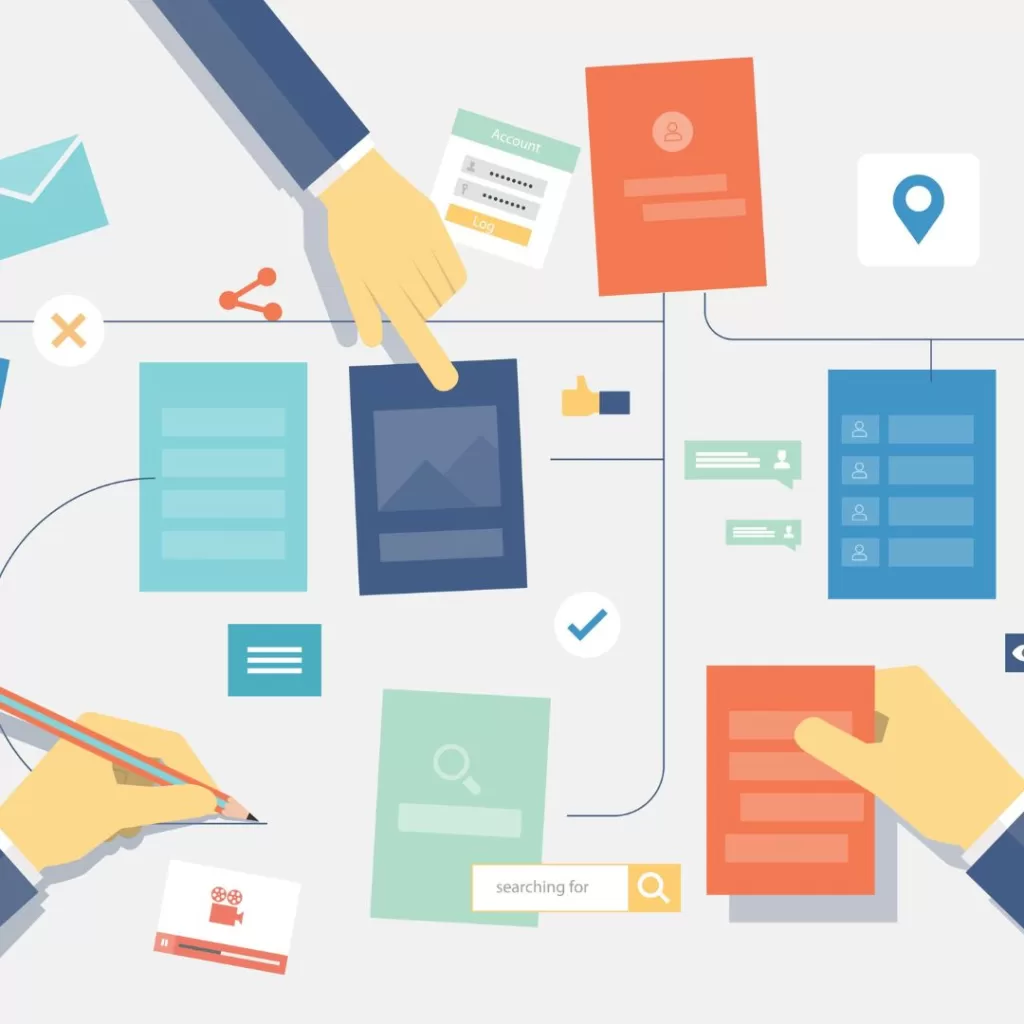
Using Floor Diagrams – Making a flowchart will help you gain a visual of how users should move through a system. Then, you will decide how the users will interact with it. When you understand the profile of the user on your site/system/application, you can then plan the optimal experience for them.
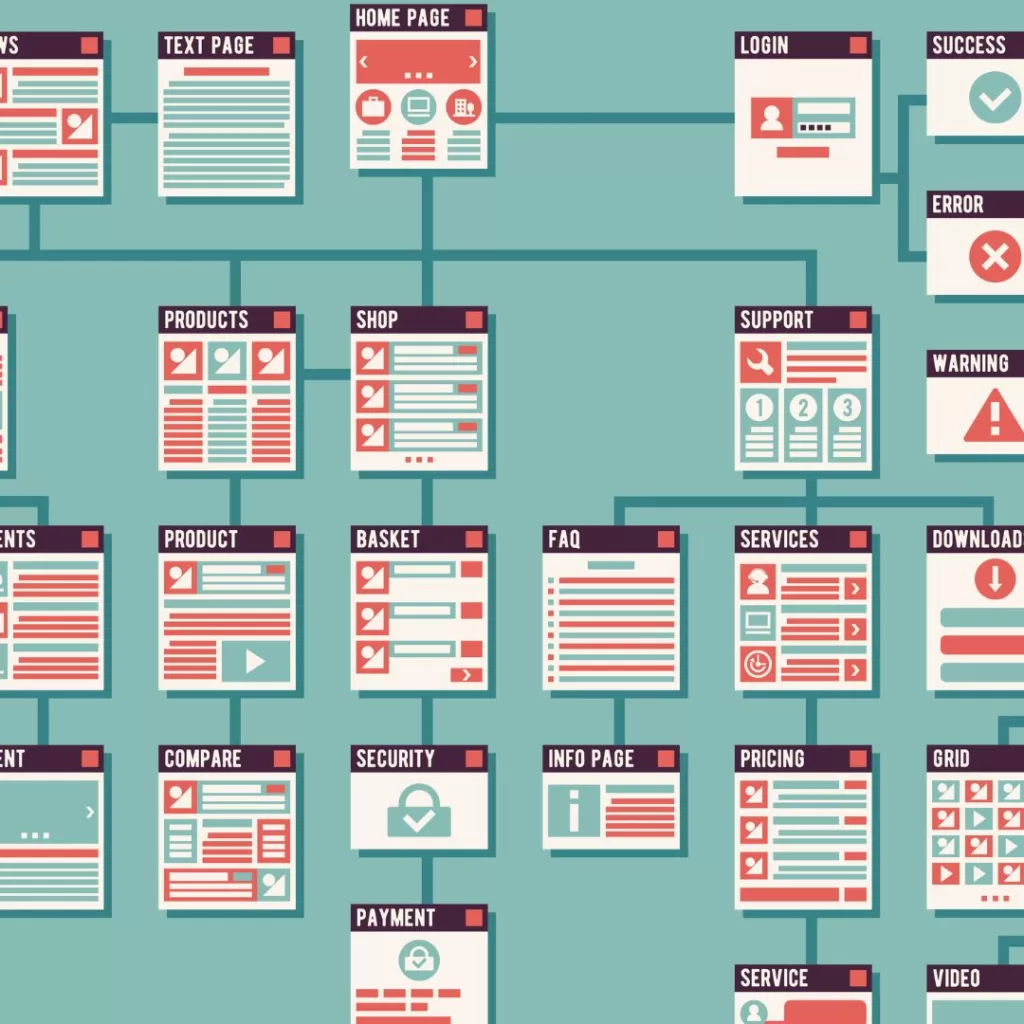
Incorporating Site Maps – Once you studied the user flow of site visitors, build a sitemap for the pages you would like to create. A sitemap is an organized hierarchy of every page and subpage within your site.
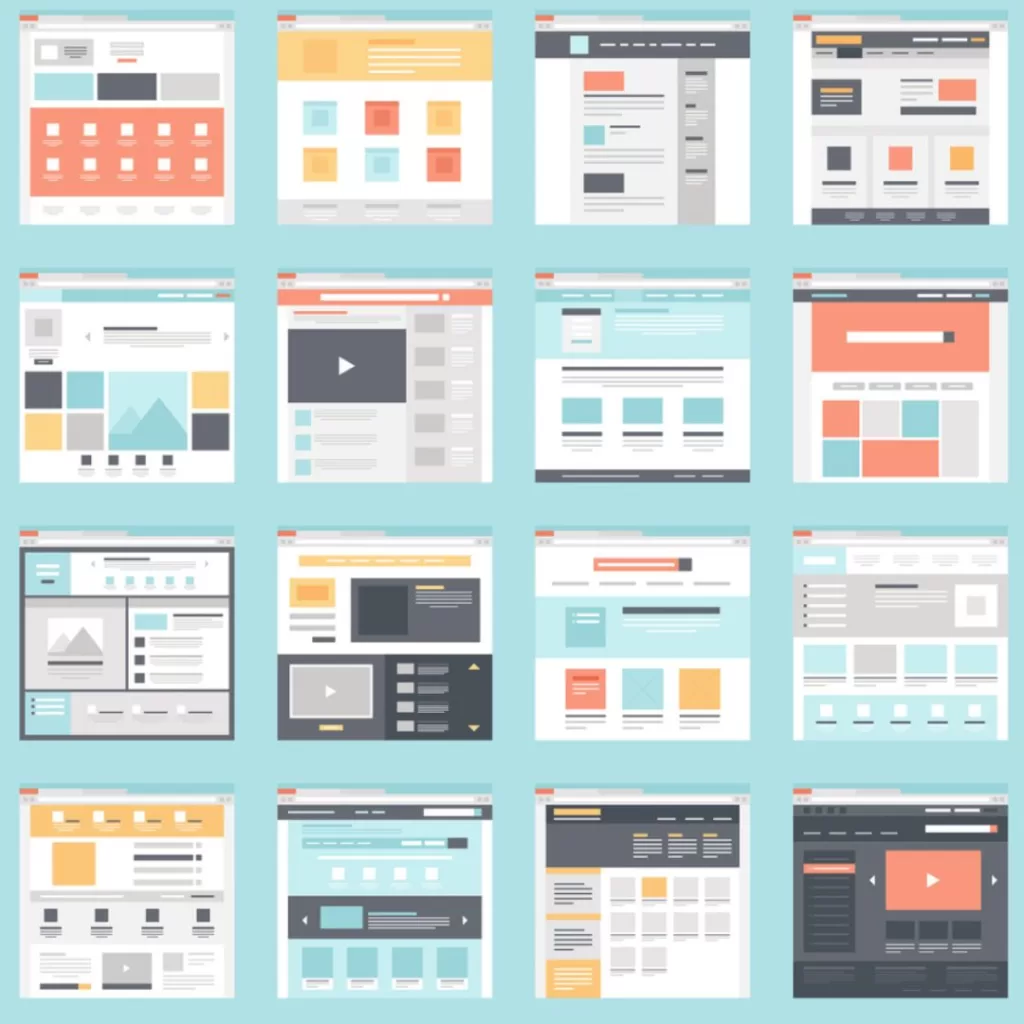
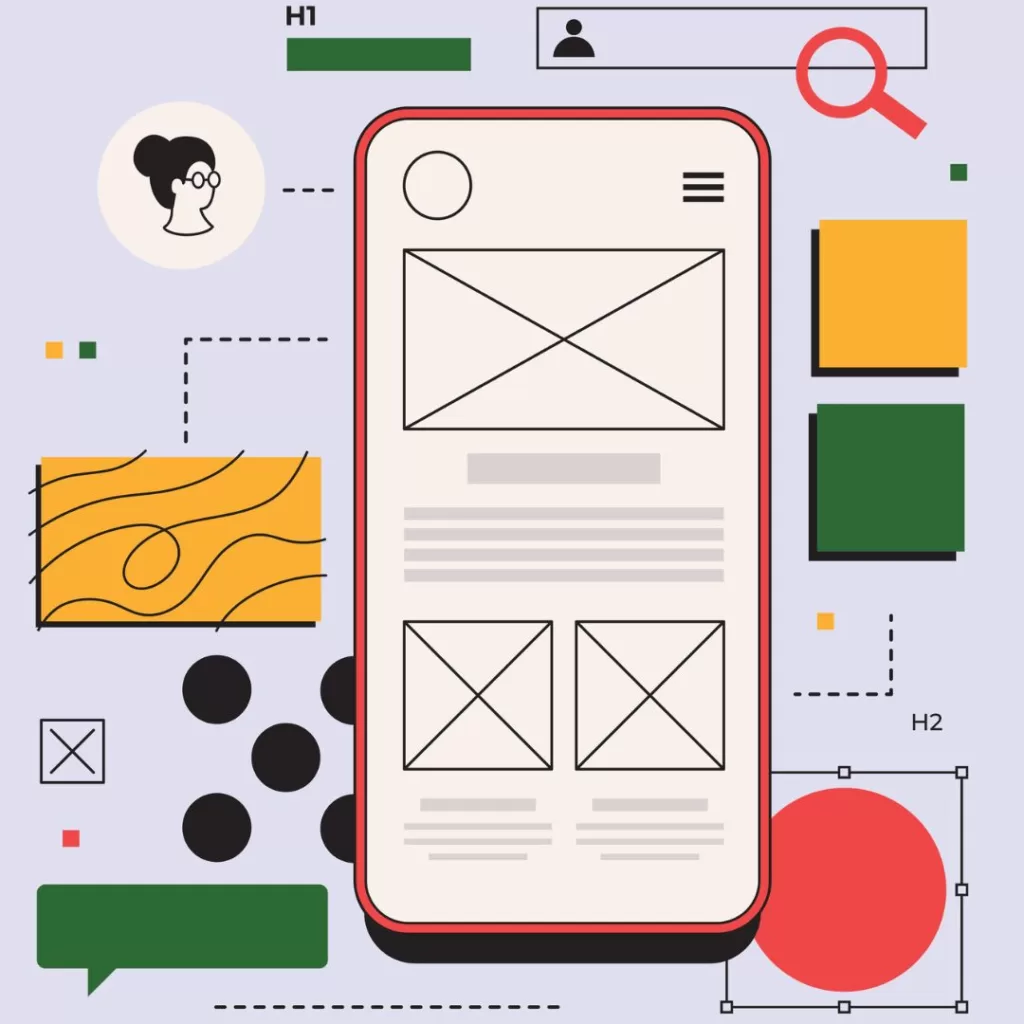
Wireframes and Prototypes – The visuals on each web page are just as essential as their structure. With that being said, invest time into creating wireframes (visual guides) that represent the skeletal framework of each page and provide a preview of your entire site’s look and feel for the user. With a proper framework in place, there is an increased risk to eliminate usability issues before any page hits a computer screen, saving your company development time for adjustments down the line.
Creating Design Patterns – Design patterns create consistency when finding the most effective design for user interface (UI) elements.
Using Style Guides – Style guides give web writers and designers a framework to work with when creating content and developing a design that ensures both brand and design elements align with a business’s goals.
Developing Quality Content – This is self-explanatory. Developing quality content will keep your users informed, engaged, and more inclined to make a purchase.
Unsure If Your Website or Application is UX-Friendly?
Ensuring your website or application provides a user-friendly experience is critical to ensuring the long-term success of your business. Just like the features mentioned above, following the necessary steps will ensure your website or application provides a thoughtfully-curated and well-designed UX. It is important to note that you may not have to scrap your entire website to achieve this unless you are going through a rebranding. Collaborating with the right UX team will help you achieve your goal much faster than you thought possible.
Let Our Web Development Experts Improve Your UX Design Today!
Our team of website development and SEO experts will improve the user experience of your website with some simple modifications and ensure a fantastic UX so that your business shines! As a digital marketing industry leader, our team provides professional web services that are built for mobile, SEO, UX, and page speed. By putting the right steps in place, we will not only ensure your UX design is both impressive and functional but is developed at the highest level of quality, creativity, and attention to detail. And before your website is live, we advise you through each step of the process and make any changes you need to make the most impact in terms of usability and compatibility. Stop guessing if you are providing an exceptional User Experience. Instead, make the change to see the best result!
ChatGPT, Generative Pre-trained Transformer, developed by OpenAI, is a large learning model that uses artificial intelligence (AI) and substantial data to interact with users through forms of interactive conversation. ChatGPT doesn’t just make small talk, it conducts follow-up questions acknowledges mistakes, and rejects inappropriate requests. Many content writers utilize ChatGPT to help create better SEO-focused content, which in turn drives more traffic to a website and drives sales by presenting more relatable content to customers.
The Benefits of Using ChatGPT
Take advantage of what ChatGPT has to offer, including:
Search Engine Optimization (SEO) Benefits:
ChatGPT reduces the number of abandoned carts by answering and addressing customer questions.
Drives sales by providing faster customer service and enhanced customer support.
Improves SEO Capability across all web content, which boosts the user experience (UX).
Promptly responds to customer queries on both the website and social platforms.
Content Writing Benefits:
ChatGPT’s AI tool ideates new messaging based on your brand.
It saves time and allows you to focus on more important tasks, increasing productivity.
Drives website traffic due to producing more relatable content and improving SEO.
How Does ChatGPT Work?
Like all AI, it works in the form of an intelligent bot that is programmed to understand what people are looking for and write responses in a way that helps them. For example, ChatGPT can automatically respond to customer queries via your website or social media pages, can provide better support to your customers, free up time for more important tasks, and increase sales.
You would think such an intelligent tool would cost an exorbitant amount of money to use it. Surprisingly, ChatGPT is a free service with opportunities to use a paid version that has more features. In addition to ChatGPT, it incorporates another language called InstructGPT that is trained to take directions from humans and long-form answers to complex questions.
Considerations When Using ChatGPT
Although SEO AI tools come with their own set of unique benefits, such as saving time and increasing traffic to your website by targeting a specific audience, it comes with its own share of downsides.
First off, ChatGPT avoids specific types of content that are considered violent, explicit sex, and harmful. It is specifically programmed to not generate text for those types of topics to prevent negative content from hitting the market.
Second, ChatGPT is limited to only the information that it contains in its current form. If your content needs to be updated based on current events, then ChatGPT would not be useful.
ChatGPT comes with its own set of programmed biases, so with that said if you desire a different ending than what the SEO AI tool provides, guide ChatGPT so that it makes the correction.
Like in the previous bullet above, ChatGPT is a brilliant SEO AI tool, however, it is not a mind reader. You should still craft relevant content that requires a great deal of detail and direction to do the job right.
One unique fact about ChatGPT is that it contains invisible watermarking, meaning that if someone accessing a document and has the key, they are able to see if it was generated by AI. Normally, the digital watermark key or “code” would be in the form of punctuation or specific word choice.
Checkout This ChatGPT Ad with the One and Only, Ryan Reynolds
Who doesn’t love the humorous and cheeky Ryan Reynolds? Always putting his own unique stamp on his personal branding, this time he let ChatGPT take the wheel. Check out this ChatGPT ad featuring Ryan Reynolds for Mint Mobile to see it in action.
Let Our SEO Experts Handle ChatGPT for You!
It’s certain that the future of marketing and customer strategy will incorporate a heavier use of artificial intelligence (AI) tools such as ChatGPT. When used efficiently, these innovative tools will generate the results you want. However, using them can be overwhelming without proper planning or training. Rather than trying to navigate on your own, we have an experienced team of search engine optimization (SEO) experts that deliver guaranteed results.
Let’s define the difference between both types of advertising campaigns:
Pay-Per-Click (widely known as PPC) is a form of digital advertising in Search Engine Marketing. (SEM) where the advertiser pays a fee (how much they pay is based on the types and amounts of keywords are selected) each time their ad is clicked by a user. Paying for each visit to either a landing page or APP on a website allows for a faster, more efficient result than only utilizing organic search engine optimization (SEO) to gain foot traffic.
Some examples of PPC you would see are:
Google Search Ads (formerly known as Google AdWords) – an advertising service by Google that allows businesses to display advertisements on Google search results and its advertising network.
Google Shopping Ads – a type of ad that features details about specific products that you sell.
Display Advertising – a type of online ad that combines text, images, and a URL that links to a website where a customer can learn more about or purchase a product.
Remarketing Ads – a tool that lets you customize display ad campaigns for customers who previously visited a website and tailors future ads to these visitors when they browse the web or APPs.
Paid Social Media (known as Paid Social) is another search engine marketing (SEM) tool that displays advertisements or sponsored marketing messages across popular social media platforms and targets a specific audience. Examples of Paid Social would include sponsored advertising on Facebook, LinkedIn, Instagram, YouTube, and more.
Why You Should Consider Using These Types of Advertisements
Think of it this way: billions of people use search engines and social media to browse, research, and purchase products and services. If you have a business and want to find a way to get your name out there, consider PPC and Paid Social. While both allow targeting specific audiences or consumer persona, PPC and Paid Social differ slightly. Social platforms allow you to target customers based on age, interests, and location, enabling you to customize your paid social ads and promote your brand effectively. By putting the right practices in place, you’ll drastically increase conversion rates for your product or service to generate awareness. The more awareness you promote, the higher the chance a customer will purchase what you’re selling.
When Is the Best Time to Integrate These Methods into Your Digital Marketing Strategy?
Although each PPC and Paid Social campaign will vary in terms of when it’s best to integrate, the most optimal time would be based on your team’s overall digital marketing objectives and goals.
Let’s dive deeper; for example, the best time to launch your first (or next) Pay-Per-Click campaign would be when you want to generate quick results. Don’t forget to incorporate Organic Search Engine Optimization (SEO) and Search Engine Marketing (SEM) campaigns, as they work beautifully in tandem with each other (see our latest blog here). It takes time for SEO to show results, while a PPC campaign generates results almost instantaneously.
**Please note any campaign, whether organic or paid, should be monitored and modified across 3 months, ideally.
Paid Social Media campaigns focus on generating awareness for a specific product or service through multiple social media channels. Since, as mentioned before, billions of users utilize social media daily, the potential to reach an enormous target market is much higher. So, take this as an opportunity to engage with the users you’re targeting over time to maximize content, boost brand awareness, gain mobile access, and gather detailed market insights for future campaigns.
Tips For Managing Your PPC or Paid Social Media Campaigns
How can you win with a Pay-Per-Click and Paid Social Media Campaign? Here are some go-to tips:
First, determine your PPC’s campaign structure.
Next, refine your landing pages.
Establish a keyword strategy based on research.
Launch ads based on insights from research.
Share your campaign plan with teams and stakeholders.
Don’t make mistakes others have made. Keep an eye out for the following:
Building out a single basic campaign without utilizing Google Ads’ Ad Group Tool.
Only creating keywords based on “gut feeling” and not from research.
Not adding “negative keywords” to avoid wasting the budget.
Using landing pages that are not engaging and generate zero leads.
Setting budget caps and going live without informing anyone.
Let Our Team of PPC & Paid Social Media Experts Start Your Campaign on the Right Foot
Your business will reap long-term rewards by aligning your search engine marketing (SEM) strategy. By analyzing and monitoring key performance indicators (KPIs), we partner with you to ensure proper setup, monitoring, analysis, evaluating, and targeting for your audience. Our team at Reach Marketing Pro are your experts in Digital Marketing and SEM. We are your go-to resource for all things: Google My Business Experts, Google Partners, Google Analytics Certified, SEMrush Experts, Schema/Structured Data Markup Experts, Accelerated Mobile Pages (AMP) Implementation qualified, and Google Tag Experts.
For every client, every month, we don’t leave your advertisements untouched. Reach out to us today to launch your next campaign!
What’s so great about social media is that it’s versatile for different audiences. Based on your specific consumer, each platform has a unique ability to utilize different algorithms, uses, character limits, audio/visual trends, and more to make your content stand out. Whether you’re using Facebook, Instagram, TikTok, YouTube, LinkedIn, or Twitter, always initiate efficient social media posting to each channel with your brand in mind.
Where Should You Begin?
Keep in mind that each social platform has its own unique audience. With that being said, when establishing and creating your content plan, it’s tailored for each target audience. For example, if your target audience is pointed toward millennials and Gen Z’ers, make sure the platforms you’re using appeal to that demographic—Instagram, TikTok, and YouTube.
Secondly, select the most ideal platform for your business, as it will vary across each industry and your business’s goals. Let’s say a business that offers videography services. More likely, the majority of their content would be best suited for Instagram, YouTube, and TikTok versus Twitter, Facebook, etc.
Now, what if your business specializes in consumer manufacturing? Based on its curated content, its best-suited social platforms would be LinkedIn, Facebook, and Twitter versus Instagram, YouTube, and TikTok.
Selecting the Right Social Media Platforms
We know creating a presence for your brand across multiple social media platforms can be overwhelming, from creating business-specific handles, creating curated content for each platform, monitoring engagement, tracking KPIs, maintaining login information, how often content is created and posted, and the list goes on. Check out what we’ve put together for specific social platforms and how to coordinate your content for each below.
Best Used For: Conducting research and buying products from brands directly.
Strategies Used For: Social selling, eCommerce, retargeting, limited edition, and seasonal products.
Social Media Live Streaming:
Go-To Platforms: Twitch, YouTube, Instagram Live Rooms, Facebook Live, and TikTok.
Best Used For: Broadcasting live videos to already existing customers and followers.
Strategies Used For: Using live interaction with hosts, live podcasts, and Q&A sessions.
Business-Specific Social Platforms:
Go-To Platforms: LinkedIn and Twitter
Best Used For: Professional networking, boosting business growth, launching business communications, and B2B products and services.
Strategies Used For: Polls, video announcements, job postings, B2B sales, and professional networking.
Feel Free to get Creative but Keep an Eye on Popular Trends for the Platforms You’re On!
It’s important to know that every social media platform is based on a type of algorithm—for example, utilizing more hashtags on Instagram is more beneficial than LinkedIn, and having more or fewer characters in the posted content is more effective on Twitter than Facebook, etc. Including specific audio or visual trends can also increase impressions and reach, such as Instagram Reels and TikTok videos. These are important pieces to consider based on the social media platform you sign up for.
Take this as a go-to tip: posting consistently—a minimum of 2 times per week—while engaging with other accounts including followers, hashtags, and more, is vital for long-term page growth! Strengthening your social media presence takes a lot of time, commitment, and persistence. But with hard work, comes great reward.
Be Informative, Fun, and Professional!
Why only use one social platform when you can have them all? Maximize the opportunity! Having a presence on multiple social channels is immensely valuable for your business, as it allows for more brand awareness, product and service order placements, and various ways to interact and engage with your community and targeted audience. You’ll become a brand everyone wants to know about.
With that, customer service is a critical component of your overall social media marketing strategy. As we’ve mentioned how important reputation management is in a previous blog, take the proper steps to ensure your business holds a positive reputation across every social platform. Since it seems like every business can be under a microscope in today’s digital age, any negative social interaction can result in a bad impression for potential customers and followers. Always respond professionally and with a fun personality. No one likes to communicate with bots.
We’ll be Sure to Curate the Best Content for You!
As a premier social media marketing agency, we partner with you to understand your brand to promote and share your message across many social media platforms. We perform a new level of social media marketing; with more than 10 years of digital marketing experience under our belt, you’ll partner with a dedicated account manager to craft a custom social media strategy when working with us. By creating engaging and unique social media content, along with the reporting you need, you’ll the results will speak for themselves.
Whether you work with us every step of the way or want us to control the reins, our team is here to help you spearhead your social growth. Start building your next project today— contact us today to learn more.
Google Discover is a feed that appears on the homepage of Google’s iOS and Android application (APP) as well as the mobile Google.com homepage. When utilizing Google Discover, users can personalize their feeds so they can visualize content that directly aligns with them. This is separate from Google Search Ads because, with Discover, people aren’t required to enter a search query to have this interest-specific content visible. Essentially, Google Discover replaces the Google feed on mobile devices and provides relative content that is specific to the likes and interests of the user based on their mobile (iOS and Android) activity.
Google Discover, Google News, and Google Alerts – They All Seem Quite Similar but They are Quite Different
Google News versus Google Discover
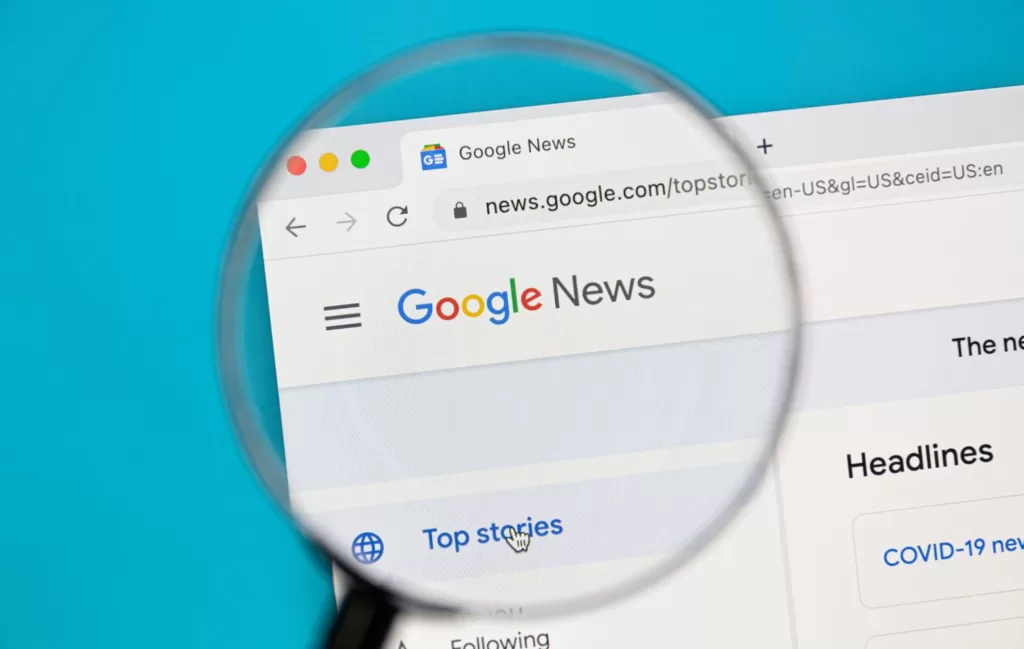
Aside from Google Discover, Google News features news headlines, local weather, and the top stories of the day on the main page, while promoting fact-checking on the right-hand margin. Specifically, Google News is an aggregator service that presents a continuous flow of backlinks to articles organized from thousands of publishers and magazines. It is available for users on a mobile application via Android and iOS as well as online.
Google Discover, however, utilizes artificial intelligence to show users the information they may want to see, or have shown previous interest in. As a replacement for the Google Feed, it surfaces relevant content to the user, even when they’re not searching.
Google Alerts versus Google Discover
Google Alerts is a content change detection platform that is based on a free notification service. Essentially, it notifies the user via email when it finds new results, such as web pages, newspaper articles, blogs, or scientific research that matches the user’s search term(s). Aside from Google Discover, it’s been known that Google alerts haven’t been the most effective in terms of accuracy. With Google Discover, everything the user sees is based on their specific search history, rather than alerts they might not be interested in anymore.
Why You Should Optimize Your Webpages for Google Discover Traffic
Although Google Discover isn’t a prioritized platform that digital marketers keep in their immediate toolbox, it is one businesses are leveraging to grow, further develop their brand, and reach new customers. Optimizing your content for Google Discover allows your content to have a higher chance of reaching a larger audience due to its personalized approach. There will even be times when you’ll generate much more traffic through Google Discover than you would with organic search. For your marketing content to appear on Discover, it should be of top quality with your web pages indexed by Google. Discover helps your brand become relevant to what the user seeks. Based on what they search for and have an interest in, Discover brings your content that matches the user’s interests to the forefront, which optimizes your pages, increases conversion rates, and boosts your brand’s credibility.
How to Optimize Your Website for Google Discover Traffic
Content is automatically eligible to appear on Discover as long as it’s indexed by Google and meets Discover’s content policies. To get there, it is best to follow the below recommendations to optimize your website and web pages to improve your online foot traffic:
Ensure that your Google Business Profile, formerly Google My Business (GMB) is created fully and working properly.
Confirm that your Google Business Profile (GBP) is verified on Google. If it isn’t, learn how to verify it here.
Consider and implement a “Mobile-First” approach by starting from within and optimizing existing products/services for mobile users.
Make sure you develop a mobile approach that prioritizes the user experience (UX), including mobile friendliness and responsiveness.
Strengthen your copy and graphics and consider current events for future content that is relevant to what the user wants.
Utilize and leverage high-quality visuals such as organic photos and emotionally-triggering videos that bring the user in.
Recommend readers to follow your brand by utilizing call-to-actions (CTAs).
Research what your competition is doing so you can innovate unique solutions that help you stand out.
Write optimized page titles that capture the essence of the content you’re presenting to your target audience.
Implement AMP and Schema (structured data) so your content can appear in rich results in mobile search, like the “Top Stories” carousel or “Host” carousel.
By following these tips and putting plans into motion, you’re well on your way to optimizing your website and being successful on Google Discover.
How Schema (Structured Data) Helps Google Discover Traffic
Schema, a type of microdata that creates an enhanced description that Google may use in search results to share as a snippet of your article, allows the reader to get a sense of what your article is about and how it may bring value to their related query.
By using this form of structured data, you are essentially helping potential customers find your article easier- meaning a potential lead or conversion! Utilizing this data type can improve the appearance of your site for the relative search result(s), enable you to appear in front of a user that may not have seen your site without it, and increase the readers’ time on your page with the relative query and engaging content!
There are many types of Schema out there such as Products Schema, Articles Schema, Recipes Schema, Events Schema, and many more. Each one serves its own purpose and there are some Schemas that can help your articles show up in the Google Discover feed. Most of the articles that populate the Google Discover feed often use some form of Schema.
For example, you will find that webpages populated in Google Discover may use Schema categories such as CreativeWork which houses structured data markups like Article, NewsArticle, Blog, and HowTo. Pages like this are often trendy and frequently searched for in Google and are perfect for Google Discover. With the implementation of Schema, Google has a lot more data to utilize to build a rich snippet or an enhanced search result page (which is really what Google Discover is).
Aside from Schema, AMP is very important too. Google Discover feeds are mobile-only and having your website set up with Accelerated Mobile Pages just speaks for itself. Unfortunately, there is no secret sauce or surefire way to get your content into Google Discover, but utilizing Schema and AMP will increase your chances of showing up in the sought-after Google Discover feed and increase mobile traffic from Google Discover.
Google Discover Will Keep You Ahead of the Competition & Stay Relevant in Your Consumer’s Minds or at Least on Their Phones…and We Can Help!
At Reach Marketing Pro, our team of search engine optimization (SEO) experts will optimize your website and web pages to outperform your local competition and gain more visibility/exposure for your business. We partner with you and your business to look through your unique lens and grow your brand across multiple forefronts in the digital marketing realm. Whether you are familiar with the process of Google Discover or not, it’s always recommended to obtain a professional consultation on expert services to ensure that you are truly optimizing every aspect of your business’s online visibility can achieve. Leverage one of Google’s newest and most critical features to become a staple in your industry today by getting in touch with our team here.
Search Engine Marketing vs. Search Engine Optimization – Serving Two Different Search Intent Purposes
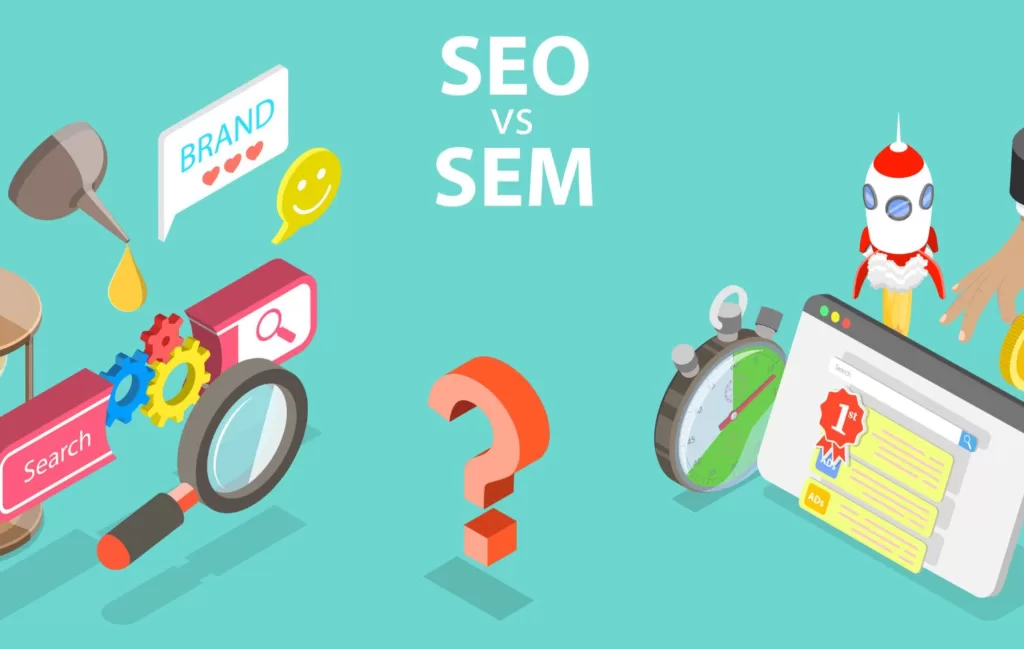
Let’s explain the difference between SEO and SEM. Search Engine Marketing, otherwise called SEM or Pay-Per-Click (PPC), is a form of paid search that costs a business money to boost its ranking or placement in search engines.
Search Engine Optimization is a strategy that helps increase a business’s placement in search engines. You’re probably wondering, why pay for SEM if SEO is free?
Overall, Search Engine Marketing has a greater impact compared to Search Engine Optimization, because SEM focuses on the customers’ intent (what they type into the Google search bar). For instance, when a customer types in “jeans for sale” or “best sushi near me” these searches show that the customer intends to buy and convert a lead into a sale. Paid search (SEM) is a perfect match for this marketing strategy, as it increases your return on investment (ROI).
Where SEO comes on top is when search queries are more research-oriented and informational rather than based on user intent. “How to crochet a baby blanket” or “when does the World Cup start” are research-based searches that focus on retrieving answers or solutions. Rather than using the searches to purchase a product or service, the intent is to learn something new. Understanding intent is a critical component to understanding digital marketing. Although Search Engine Optimization doesn’t technically generate revenue, it doesn’t mean that you should scratch it completely. The reason why is while a customer discovers your content, they’ll become a customer eventually. SEO works on building trust with users and fostering long-term relationships. Understand the unique benefits SEO and SEM provide, and utilize them to spearhead a powerful digital marketing strategy.
Why You Should Integrate SEM and SEO
Now that you know what SEO and SEM do; it’s time to combine what they both do and implement them into a cohesive digital marketing strategy by building off the “search intent” discussion mentioned earlier. It’s time to put what you learned into action!
First, we need to create a list of SEO-driven keywords that are relevant to your brand. Then, separate them into three individual lists based on the level of intent. For example, one list would be for buyer-intent keywords to drive sales, one list would be for research-intent to boost Google Search rankings, and the other list would be for middle-ground intent keywords where it’s more challenging to decipher between an intent to buy/convert or an intent to research/learn.
Putting these best practices into place will help you utilize your paid search marketing budget more efficiently by focusing heavily on crafting targeted keywords relative to an intent to convert. Placing research-based keywords that are meant for Search Engine Optimization into the Search Engine Marketing/Pay-Per-Click marketing strategy can cost more in the long run without seeing a positive ROI. If your PPC budget allows for increased spending on more buyer-intent keywords with money left over, then add in more research-based keywords.
The overarching purpose of aligning your SEO and SEM strategies together is to prevent unnecessary expenditures on paid searches. Both SEM and SEO heavily rely on keywords—that’s what drives traffic. Targeting keywords through SEO research that’s relative to research-based keywords saves you money in your SEM/PPC marketing approach. This way, you’re covered in each step of the online journey for buying a product or service since the user will always research (SEO) before making a purchase (SEM).
So, if you haven’t learned already, boosting both of these marketing strategies will drive enormous potential to launch a powerhouse digital marketing team that increases brand awareness, drives recognition, and boosts a higher ranking in Google Search engines through a multi-touchpoint approach.
Trends to Keep in Mind for Your SEO and SEM Strategy
Trends are always changing. Here are key things you should prioritize to initiate an effective digital marketing strategy:
Ensure your website is SEO-friendly. Incorporating optimized keywords that associate with your business, brand, and target customer will generate digital foot traffic and increase the chances of user purchases.
Maintain a friendly user experience (UX) when updating your website content. Creating an enjoyable and simplified experience for new and returning customers will not only boost brand loyalty but also drive more traffic to your site.
Craft a mobile-first experience. Curate an approach that innovates product design for mobile devices first. That way, your website will be accessible across multiple digital channels, no matter if a customer is on their phone or computer.
In a growing digital age, data-driven campaigns will continue to grow and become more accessible in the future. As technological advances continue, there will be an increased ability to personalize SEO and SEM campaigns as well as target opportunities for paid advertisements.
Please note: always ensure the data you receive is not crossing illegal boundaries, as privacy is a highly debated topic.
When do These Two Specific Strategies Become Essential to Your Marketing Operations?
Search Engine Optimization and Search Engine Marketing are both essential strategies to a company’s marketing operations. It doesn’t matter if someone is just starting a business or has been working for an established corporation for over a decade—you should implement SEO and SEM into the overall marketing plan. If an entrepreneur isn’t familiar with either of these two marketing strategies, invest the time to research and learn the ins and outs of them or hire a marketing professional.
What Happens If I Don’t Utilize SEM and SEO Together?
To keep it simple, not utilizing SEO and SEM strategies will not allow your business to make a maximum impact on a digital scale. For example, if you don’t use promotions with Paid Social or Pay-Per-Click (PPC) Campaigns, your business won’t generate promotional growth and increase product awareness. Putting your brand out there is what will drive traffic. Not refreshing your website content or leveraging proper Search Engine Optimization practices can result in a poor Google Search ranking or minimal website traffic. Not using SEO or SEM strategies together will cost more in the long run. If you want to grow your business, find ways to develop and implement digital marketing strategies that incorporate SEO and SEM.
Let Our SEM & SEO Experts do the Hard Work for You!
We live and breathe digital marketing; we are Google My Business Experts, Google Partners, Google Analytics Certified, SEMrush Experts, AMP (accelerated mobile pages) Implementation Qualified, and Google Tag Manager Experts. As your digital implementation leader, we’ll partner with you to combine data-driven strategies and optimize performance with both your SEO and SEM marketing campaigns. Want to get the most out of your digital marketing?
Contact us today to discuss your budget and establish your next steps.
Don’t try and do it all—let us leverage tactical practices to improve your business’s search ranking and conversion rates.
Link-building in SEO
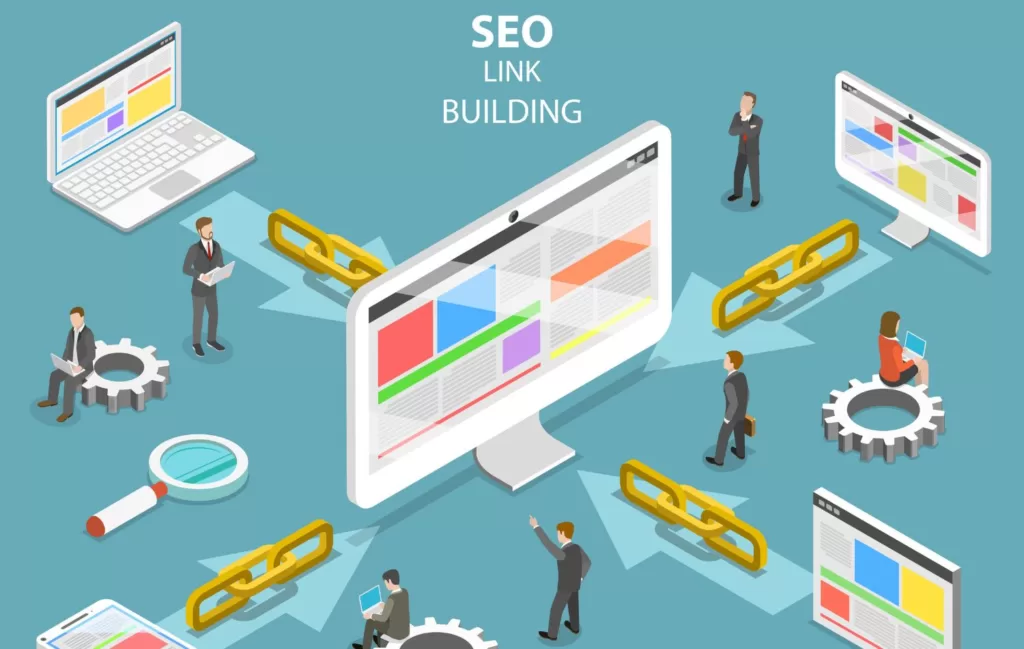
is a way to construct one-way hyperlinks to a website to enhance your overall search engine visibility. If you’ve recognized these familiar terms—backlinking and interlinking—then you are familiar with link-building since those are two of its components. These tactics can be utilized across multiple methods that build one-way or a referral hyperlink so that prospective clients can find your website and purchase services much easier.
Methods of Link Building
Developing an effective link-building strategy isn’t easy, so finding the best method is key to success. Here are some methods for link-building:
Content Marketing is beneficial when you create evergreen content that adds long-term value to your blog.
Guest blogging is another option to build shareable links and post relevant infographics without putting in the elbow grease.
Utilizing Link-building tools helps you identify and acquire the highest quality backlinks for your chosen topic.
Ensure you’re offering useful products and services
Email Outreach can be useful if the email is well-written and personable so that it entices the person receiving the email. With this method, be sure to elaborate how you will improve the user experience of visitors to their site.
Broken Link-Building is a useful tactic that takes advantage of broken pages across the web by discovering dead pages and asking linkers to swap links to a working page on your site.
Public Relations link-building methods include press releases and media pitching to secure editorial links that are directed straight to your website.
Creating the Best Link Building Strategy
There are multiple tactics that bring benefits to your link-building strategy.
First and foremost, crafting something that is “link-worthy” should be #1 on your SEO agenda.
Once that’s done, move forward with the following link-building recommendations:
Proper outreach to those who see your product/service as useful is who you should target. Don’t send a generic mass email to anyone; instead, stick to who will value your business. For example, utilize those who mentioned your target keywords in their article or who linked similar articles with a similar product/service, since that will result in higher response rates.
Serve as a guest blogger by reaching out to businesses and offer free written content to potentially bring them more visitors to their site.
Identify broken links and pages on a website so you can create valuable content to that resource. It’s better to connect content to a working site rather than a dead one.
Link unlinked mentions by using various tools to identify which links yours would be best paired with.
Look for lost links by reaching out to the prior contacted business and see if your link would be better suited somewhere else on their website.
Use list posts since bite-sized, easy-digestible content brings more value to the reader than large, hard-to-read paragraphs.
Utilize links from mediocre pages IF you believe your content is better than theirs. Make sure to check the links and then add them to yours.
Use paid promotions for linkable assets to provide value about your products/services to target audiences.
Link Building Tactics to Run Away From
While there are some tactics that are go-to’s, there are some to stray away from.
Buying links is a tactic that is against Google’s SEO guidelines. It’s advisable to stay away from it, as it may come with repercussions.
Paying for each link-building opportunity is very costly and racks up quickly. The average private blog price is $350; you do the math.
Not checking and verifying the authority of the site can cause major issues because if you don’t understand your site’s credibility, you won’t know how you compare to the competition.
Not considering the link’s position on the page is something to highly consider! Is it embedded in the content? Is it buried in the footer? Make its location a priority.
Initiating cold outreach and mass-emailing potential links can have negative effects as a mass email has a more generic copy/paste feel. It’s best to cater the content for each point of contact so they don’t feel ignored.
Why is Link Building Beneficial?
First off, link-building leads to higher site metrics and a stronger SEO score—this brings more people to your site and helps your business.
Since backlinks remain as Google’s first choice ranking signal, it makes sense to see why it’s useful to link with reputable, popular websites. Leverage quality over quantity when it comes to making a positive impact in today’s search engine realm. Also, why not stick with something if it brings beneficial professional relationships with it? Backlinking brings continued opportunities to build and grow your business, create brand familiarity, and generate product awareness on partnering websites.
There’s no better feeling than bringing back more traffic to your website!
Is Link Building the Same as Backlinking?
While both terms are popular tactics for SEO, they have slight differences. Link Building is creating links to your website from other websites. Backlinking is linking content from one website to a certain page on another.
Don’t Be Afraid to Build a Link with Us!
Implementing link-building strategies into your SEO is a time-consuming process that requires lots of attention and commitment. Making sure you work with someone who can put the effort and time into it that will generate the best results. Let our team of SEO experts help you get there.
By staying updated on current digital trends and knowing what will get the customer to your website, our team leverages cutting-edge SEO and link-building tools to launch a successful strategy that aligns with your specific industry and niche product/service.
What Are Vehicles for Sale and Vehicle Listing Ads?
Vehicles for SaleListings are comprised of inventory directories located directly within search results through the dealership’s Google Business Profile, formerly Google My Business. Basically, how it works is prospective or repeat customers search and apply filters to navigate through the dealership’s inventory, outside of their direct website, to learn more information about a specific vehicle. Once they find the vehicle they want, it will potentially direct them straight to the dealership to make a purchase.
Vehicle ListingAdvertisements are set up after you create a vehicle inventory data feed with the Google Merchant Center. With the added information, Google will then match the details to potential shoppers with the relevant vehicle makes and models they’re searching for. From a buyer’s perspective, think of it as Google being your personal shopper. You put in the features you want, and it provides relative vehicles you can see or a dealership that can ship it to you. All the information about your chosen vehicle will be at the touch of your trackpad—location, make, model, price, mileage, and more. All you’ll have to do next is contact the dealership to get the vehicle.
Are These Features Worthwhile for Dealership Marketing?
Since Google launched its new vehicle ads platform, it has helped dealerships reach new buyers much easier and faster via smartphone. This digital transition resulted in fewer buyers wanting to visit automotive dealerships and using online vehicle buying as a valued alternative to visiting dealers and test driving on the lot. It can be time-consuming to set up a Google Merchant Center since the process begins with creating the inventory for each feature, maintaining it, managing incoming available vehicles, and ensuring leads are tracked, etc. But when looking at the long-term effects and weighing the benefits versus the costs, the results are very much worth the effort.
Take the statistics into account! Google claims that dealerships who’ve used Vehicle Listing Ads with existing search campaigns increased their conversion rates by 25%, with some seeing as much as 55% or more! Now that’s some premium fuel to kickstart your dealer’s engine.
Can a Private Seller Create Vehicle Listing Ads?
Unfortunately, for those who are not a verified dealership, vehicle ads from private sellers, individuals, or automotive brokers are not permitted. Currently, the vehicle ad platform can only be used for dealers who advertise non-commercial passenger vehicles. However, with evolving supply and demand, available offerings can certainly change in the future.
Other vehicle types that are prohibited, along with non-commercial passenger vehicles, include, but are not limited to:
• Recreational vehicles (such as RV’s, motorhomes, trailers, etc.)
• Farm vehicles and equipment
• Buses of all kinds
• Two-wheelers
• Trains
• Boats
• Airplanes, and
• Outdoor utility vehicles
Hitch a Ride to Greater Marketing Capabilities & Sales Opportunities with Us!
The post-pandemic world has revolutionized the car-buying process, including customer behavior. Stay-at-home orders triggered a massive shift to online shopping and the trend has only increased since. It’s necessary to remain ahead of the evolving demands and expectations by adapting to market needs. With that being said, the need for online shopping has reached a new level. Don’t allow your dealership to have a downward turn; let the newfound need to go “digital” initiate a drive to remain competitive in an ever-changing marketplace! For any dealership, being the top automotive provider is the goal and is critical for long-term business growth.
Since Google implemented Vehicles for Sale and Vehicle Listing Ads in 2021, our team at Reach Marketing Pro has worked hard to perfect their process. Don’t rely on trying to perfect your own system; instead, let us take the wheel and drive you down victory lane. We’ll do the grunt work and put the pedal to the metal so that your dealership does what does best—sell vehicles!
It’s time to hit the gas; contact us today to learn more.
Keyword density is the number of times a keyword may appear on a webpage or within a specific piece of content as a ratio or percentage rate of the total word count. By noticing the number of times the keywords may appear, that calculates the overall keyword frequency on a specific webpage. Normally, a user or search engine would use Keyword Density to determine what a certain webpage may discuss.
Is Keyword Density Important for Best SEO Practices?
Keywords are a significant piece to an SEO strategy’s puzzle, therefore Keyword Density matters. By launching efficient keyword practices, you’re imminently positioning yourself in the place of people who have specific Keyword intent, meaning they’re more likely to find your content if the keywords they would more than likely search are embedded in your business’s webpage.
Every day, we search certain keywords online to find specific content. To grow your search engine rankings, become an authority on the subject matter you’re representing. When you’ve found via the right keywords and Keyword Density per each piece of content, there is an increased chance of re-targeting, achieving higher conversion rates, and boosting customer loyalty—a major accomplishment and golden ticket for the everyday SEO Marketer!
Where Will You See Keyword Density Used?
Let’s play out a scenario; let’s say you’re reading an article about marketing. As you read through the article, you notice the word “social media” is used frequently, followed by secondary words such as Facebook, Instagram, and LinkedIn. Although the article’s overarching topic is related to marketing, its Keyword Density narrows its focus on social media marketing strategies. Incorporating these keywords into the article boosts its opportunity to rank higher in search engines for searched keywords, including “social media” or “social media marketing.”
Things to Consider When Evaluating Your Next Piece of Content
While there are no defined “rules or regulations” for Keyword Density, make sure to implement today’s best SEO practices to ensure you achieve optimal results.
Focus on Achieving Topic Coverage – While loading content with the same keyword repeatedly is not a feasible long-term SEO strategy, focus on fully covering the topic at hand. Include subtopics to enhance your page’s search ranking and add a new level of flare and creativity.
Incorporating keyword additions to prominent places (Title Tag, H1, URL, and Meta Description) – While it’s not ideal to “stuff” your article with keywords (known as keyword stuffing) include your main keyword in the Title, Header 1, URL, and Meta Description. That way, it is placed in prominent locations and will enable a higher search ranking for that specific keyword.
Write naturally – Readers want to see personality come out in the content they see! Don’t be a robot and write to what Google’s algorithms want to see. Let the words flow the way you want them to, and the results will follow.
Now, while there isn’t a golden number that’s considered “too high” for Keyword Density in search engine optimization, it’s advisable to revise the content if goes above 2 percent.
How to Calculate Keyword Density
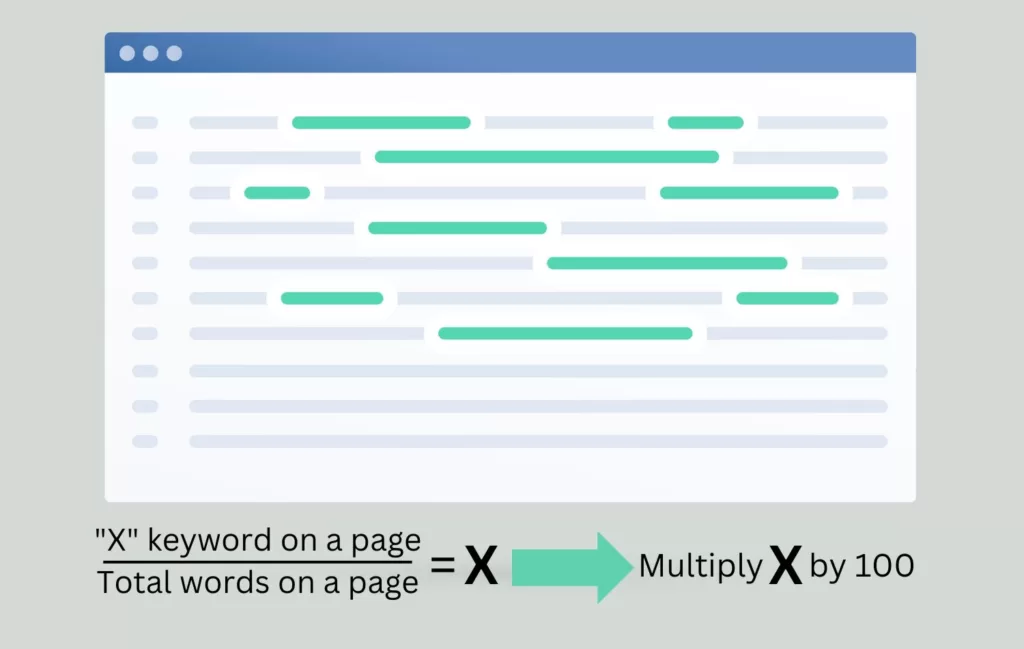
The formula for calculating Keyword Density is straightforward:
Divide the number of times a keyword is used on a specific page by the total number of words on the given page. Next, multiply that number by 100.
The above formula isn’t the only way to calculate Keyword Density. There are multiple types of Keyword Density checkers that help measure (in percentage) the number of times a keyword or phrase appears in comparison to the number of words on a webpage. Optimizing your overall SEO doesn’t have to be a challenge.
By simply copying and pasting your content into a checker tool, it will calculate the level of density for you!
Keyword Density and SEO Marketing Professionals at Your Fingertips
Our team of experts love to dive into the world of SEO. Since Keyword Density is a critical component of SEO marketing, we utilize and leverage proper optimization techniques and strategies to help you appear higher in SERPs, and ideally, leaps and bounds ahead of the competition.
Reach Marketing Pro has a surplus of Google algorithm trend knowledge to initiate keyword research, content creation, content analysis, and updating content months (even years) after its integration. There are many factors that come into play when ensuring every piece of content is formulated properly for the best results.
Ready to kickstart your business’s SEO strategy? Contact us to connect with your Keyword Density partner and discuss the next steps.