Tag: Advertising

  • How to Optimize Performance Max Campaigns: An E-Commerce Guide

    How to Optimize Performance Max Campaigns: An E-Commerce Guide

    As an e-commerce brand, maximizing the potential of your performance max campaigns is essential to sell more products and generate greater returns on your ad spend. If you notice declining conversion rates or have difficulty analyzing complex analytics to make data-driven decisions, you likely need to learn more about this platform to improve your results. 

    Here’s how to optimize performance max campaigns to enhance your advertising efforts and better support your online store.

    How to Optimize Performance Max Campaigns for E-Commerce: A Step-by-Step Guide

    This guide will walk you through how to optimize performance max campaigns for e-commerce step-by-step.

    Create Separate PMax Campaigns for New and Existing Customers

    A screenshot of the Performance Max Campaign Objective dashboard
    Credit: Google Ads Help

    New and existing customers aren’t the same, so your Pmax campaigns shouldn’t be either when trying to target them. New customers aren’t aware of or as familiar with your brand, while current ones are already or have shown loyalty with multiple purchases. That’s why making separate ads for each is crucial for relevancy, as they have different needs and wants. 

    Pmax has a Customer Lifecycle Goal feature with unique customer acquisition and retention smart bidding modes that allow you to create campaigns for the following audience segments:

    • New Customer Value Mode: Bid higher for new customers over existing ones 
    • High-Value New Customer Mode: Bid higher for higher value new customers over regular new and existing ones 
    • New Customer Only Mode: Bid for new regular customers only 
    • Win-Back Mode: Bid higher for lapsed customers over existing loyal ones 
    • High-Value Win-Back Mode: Bid higher for higher value lapsed customers than regular lapsed ones 

    To optimize your ad bidding with specific audiences, you must upload your customer data profile lists into the platform.  Pmax utilizes AI and automation to learn about your current customers via the data you provide. Even if you’re launching a campaign for new customers, Pmax will show your ads to people with similar purchasing behaviors and demographics to your existing ones for better results. 

    Whether your goal is to increase customer retention, acquisition, or both, developing separate campaign structures is necessary to bid for the exact audiences you want to reach and reduce wasted ad spend.

    Upload Customer Sales & Traffic Data Regularly to Optimize Ad Delivery

    As mentioned above, Pmax uses machine learning based on the customer data you upload and heavily relies on it for better campaign results. However, per Pmax best practices, this should be done regularly to optimize ad delivery. 

    Input customer sales and website traffic data routinely so the platform can better target specific audiences. Doing this allows its capabilities to continuously improve by placing your ads in relevant platforms that people with transactional intent and bottom-funnel behaviors use, like Google Shopping searches and YouTube ad clicks, to increase conversions.

    Label Each PMax Campaign for Organized Ad & Audience Management

    While this may seem obvious to keep your Pmax ads organized, your dashboard can become overwhelming when running several campaigns simultaneously. Label each campaign in ways your staff can easily follow for streamlined ad and audience management. 

    Your advertising teams can better leverage Pmax’s audience sorting tools and listing groups to discover which products should be advertised for each campaign and customer group. That way, they can easily analyze previous ad performances and optimize them for better results more efficiently via organized multi-campaign data.

    Add Conversion Value Rules to Maximize Your Campaign Budget

    A GIF of the Performance Max Conversion Value Rules dashboard setup
    Credit: Google Ads Help

    In addition to automated ad placement, Pmax optimizes bids to drive more conversions based on your goals and uploaded sales and website traffic data. The Conversion Value Rule feature lets you set specific bidding conditions based on the conversion value of your existing customers, including online shop visits, audience match segments, and store location. 

    It adjusts your bidding strategy per these conversion value rules to maximize your campaign budget because you’re targeting highly potential customers with similar demographics and online behaviors—reducing wasted ad spend on irrelevant audiences as a result. If improving conversion rates on Google Performance Max is your goal, you can’t afford to miss this step.

    Design Unique Assets for the Ad Placement You’re Targeting for Optimal Results

    You can organize audience data and ad campaigns efficiently yet still not get optimal results if the visuals aren’t relevant to the people and platforms you want to reach. While Pmax has a range of one to 20 image assets allowed, Google recommends at least four unique images per ad group. 

    Because Pmax shows your ads on Google’s family platforms, like YouTube’s Home page, sponsored Gmails, and Maps suggestions, creating separate images with varying aspect ratios is crucial to complement your omnichannel campaign visually. You can even repurpose the assets from your other search campaigns, like PPC dynamic display ads, to streamline the process. 

    Designing specific assets for the platform you’re targeting improves the visual quality of your ads by following their image guidelines. It also helps attract customers, as the first thing they notice in your Pmax campaigns is how your ad looks. If you use a square Google Shopping asset that becomes stretched on YouTube, it can hinder your brand’s perception from a grainy image. 

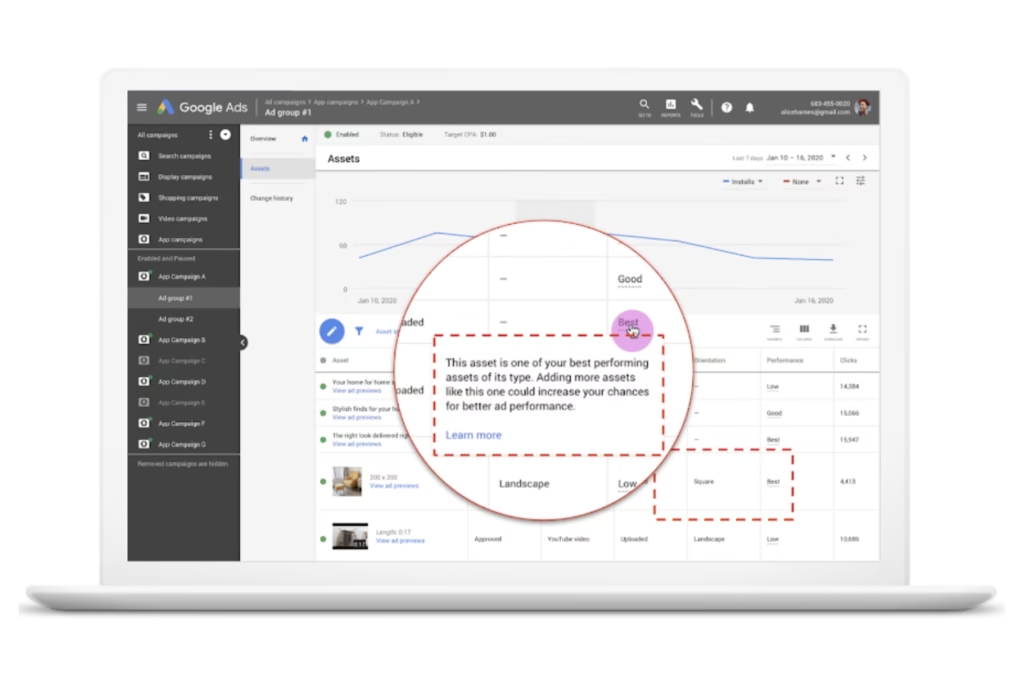
    A screenshot of the Performance Max Asset Report dashboard
    Credit: Google Ads Help

    Pmax even has an Asset Report feature that compares the visual performance across individual and group images you used in other campaigns. It has a Performance Label that organizes image assets by Best, Good, and Low based on the most triggered user actions. That way, you can make data-driven creative decisions to optimize your Pmax campaigns visually.

    Remember, your Pmax campaign images are meant to convey your product’s unique selling features. Displaying them properly based on the platform you’re advertising on and the people who use it is key.

    Make Your Landing Page Design User-Friendly & Consistent with Your Ads to Encourage People to Complete Their Purchase

    Don’t lose customers in the final step of their buyer’s journey from a bad landing page design. If users click on your ad but your website makes it harder for them to buy the product due to slow load speed or the landing page looks completely different, it can push them away from poor user experience (UX) or confusion from thinking it’s the wrong site. 

    Pmax best practices for optimized landing pages include:

    • Using the same call-to-action and keywords as your ad text for users to find the offer or discount displayed in your campaign easily
    • Designing a consistent look that mirrors your ad’s image assets 
    • Adding reviews to strengthen product page SEO and social proof
    • Creating a mobile-friendly design with balanced white space, visible contact buttons, and quick loading speed for users to shop and navigate your store on any device seamlessly

    Having a user-friendly website, including your landing pages, goes hand-in-hand with your Pmax campaigns to encourage people to complete their purchases.

    PMax Optimization FAQs:

    What’s Automatically Optimized with a Performance Max Campaign?

    Pmax automates several campaign optimization features, including:

    • Individual and group image asset performance and recommendations per campaign
    • Omnichannel budget allocation 
    • Bidding strategies
    • Ad placements 
    • Audience segment targeting 

    Can You Run Pmax with Standard Shopping Campaign?

    Yes, you can run Pmax with standard Shopping campaigns, even when advertising the same products on the same account. Google recently changed the flexibility to manage these campaigns together, which previously prioritized Pmax over Shopping automatically. 

    However, it requires a careful strategy to prevent campaign overlapping. Campaigns with the highest Ad Rank will be served to audiences based on several factors, including ad/landing page quality, auction competitors, and search queries.

    Keep in mind that PMax’s best practices are for broader audience targeting, while standard Shopping is meant for precise product targeting to maximize dual campaign performance.

    How Many Custom Images for Performance Max Campaigns Are Allowed?

    Pmax allows up to 20 custom image assets per ad group. You must have at least one image asset to launch a campaign. 

    What Are Some Tips for Improving Conversion Rates on Google Performance Max?

    Improving conversion rates on Google Performance Max must involve sales-focused optimization, including: 

    • Uploading bottom-funnel custom data routinely 
    • Setting up ad conversion tracking 
    • Creating optimized landing page designs
    • Designing unique image assets per ad group and platform you’re targeting per campaign

    Supercharge Your Online Store’s Sales with Professional PMax Optimization

    Now that you know how to optimize performance max campaigns, it’s also important to understand the commitment to do this successfully. From continuous campaign monitoring to custom graphic design and data-driven strategy development, it requires ongoing optimization to maximize results. 

    Let our Pmax pros handle this for you.

    At Reach Marketing Pro, we’re a full-service digital marketing agency with extensive experience in all aspects of Google ads for e-commerce brands. We know how to leverage the complexities of Pmax’s platform to better reach your goals from search to sale. 

    Our team will provide monthly reports to ensure you maximize your budget and campaign performance with ongoing optimization. We also have in-house graphic designers and copywriters to create your ad’s messaging and custom visuals within your branding guidelines.

    Ready to supercharge your Pmax campaign sales?

    Learn more about our PMax services, or contact us today!

  • Google Ads Report Editor: How to Use This Tool for Effective Client Reporting

    Google Ads Report Editor: How to Use This Tool for Effective Client Reporting

    Whether you have an outsourced advertising agency or an in-house team, Google Ads Report Editor streamlines your manual reporting processes. From template-based reports to customized ad campaign metrics and user-friendly dashboards, you shouldn’t spend more time than you have to—especially if it’s on a monthly or quarterly basis.

    Learn more about the Google Ads reporting tool and how you can leverage it to scale your client’s business more successfully.

    How to Use Google Ads Report Editor for Client Reporting: A Step-by-Step Guide

    Previously known as Google Adwords, the Google Ads Report Editor is software that automates and improves your search engine (SEM) marketing reporting processes via template-based features and customizable dashboards. For experienced SEM marketers, you can also create your own reports from scratch.

    Below is a step-by-step guide on how to use Google Ads Report Editor for clients.

    Select the Ads Report Type You Want Insights On

    Before you start, confirm which Google Ads performance report you want to create for your client. There are four automated report templates, each with unique metrics they measure about:

    Account Performance Report

    A screenshot of the Google Ads Report Editor Account Performance dashboard
    Credit: Google Help

    The account performance report measures the financial health of your client’s Google Ads account. It includes their ad budget, account billing, campaign clicks, and impressions. However, it also displays conversion metrics, like return on ad spend (ROAS), revenue, and conversions. 

    This report provides a monthly account overview of how successful your client’s advertising investments are via performance-based metrics compared to their competitors. 

    Ad Group Performance Report

    A screenshot of the Google Ads Report Editor Ad Group Performance dashboard
    Credit: Google Help

    The ad group performance report measures how relevant your client’s keywords and ads are within a specific campaign or ad group. Like the account performance report, it also shows conversions, clicks, and impressions, but for specific ads versus a general overview. 

    This report is generated daily or weekly, with multiple filters available to review the ad group performance on a deeper level. You can filter by ad type, campaign type, advertising channel, the ad group the ad belongs to, and more.  

    Campaign Performance Report

    A screenshot of the Google Ads Report Editor Campaign Performance dashboard
    Credit: Google Help

    The Google Ads campaign report measures your client’s campaign success based on ad groups and keyword performance. It displays metrics like ad impressions, clicks, click-through rate (CTR), estimated conversions, and average cost-per-conversion (CPC). 

    This report is best for determining the success of your client’s ads within a specific group or campaign for optimization opportunities and strengthening conversion rates. 

    Keyword Performance Report

    A screenshot of the Google Ads Report Editor Keyword Performance dashboard
    Credit: Google Help

    The Google Ads keyword report measures the performance of all the keywords used in your client’s account. It displays metrics like clicks, impressions, CTR, and average ranking position for a specific keyword and period. 

    This report is best for monitoring keyword performance and which ones convert the most leads. It ensures the target keywords used for each ad campaign remain relevant to Google’s ever-changing algorithm and SEO trends. That way, you can discover keywords that aren’t driving traffic and optimize them for better results. 

    Search Term Performance Report

    A screenshot of the Google Ads Report Editor Search Term Performance dashboard
    Credit: Google Help

    The Google Ads search term report determines which queries generate ads on the search engine results page (SERP). It displays metrics like ad clicks, impressions, and CTR.

    The difference between the keyword performance and search term report is the data provided. Search terms are the specific phrases people use when shopping or searching for services online. You can use this to create ad and landing content that’s shown to trigger ads in the SERP. 

    Keywords don’t show ad triggers. They display how many people use it to shop or search for services online and how difficult it’ll be to rank for it in your ad campaign. Additionally, if your clients have dynamic search ads, keywords aren’t used for these campaign types.

    This report is best for generating weekly or monthly to stay up-to-date with your client’s campaign search term performance. It ensures you use queries that trigger ads in the SERP while using data-driven strategies for campaign optimization. 

    Understand the KPIs You Want to Share

    When providing ad reports to clients for Google PPC efforts, consider their goals to determine which KPIs you want to share. It’s key to report on specific metrics relevant to their bottom line and ad campaign strategy to measure its success efficiently. 

    Average CPC (Cost-Per-Click)

    Average CPC shows how much your client paid for each ad click and their budget’s effectiveness based on what this metric measures. It’s calculated by dividing the total cost of clicks by the number of total clicks. 

    Average CTR (Click-Through Rate)

    Average CTR is the number of people who clicked through the ad’s call-to-action CTA). It measures how successful the ad’s engagement was in encouraging people to learn more about your offer.

    Campaign Overview

    If you have clients with multiple Google Ads campaigns, this metric provides an overview report of which ones were the most successful comparably. It’s the first dashboard you see when logging in and displays metrics like impressions, clicks, CTR, and more. 

    What makes this metric unique is that it also shows diagnostic insights of your ad campaigns. It spots specific issues that may contribute to your ad not generating conversion and even offers tailored recommendations. It skips the legwork of analyzing vast amounts of performance data so you can fix it faster. 

    Conversion Rate

    Conversion rate is the average percentage of people who click into the ad’s CTA and become a customer as a result. It measures the campaign’s overall success because it contributes to your client’s ROI based on their ad spend.

    CPC (Cost Per Conversion)

    CPC is how much your client paid on average for each ad conversion. It measures ad campaign profitability by calculating how much revenue they generated after conversions and the costs they paid for them.

    Impressions

    Impressions are how many people your ad was shown to. It measures brand awareness and market reach, so your client understands their campaign’s visibility scale for their target audience.

    Quality Score

    Quality score is a unique metric specific to Google Ads Report Editor that measures the relevancy of your ad group’s keywords, ads, and landing page. It determines how your client’s ad campaign strategy should look by comparing it, on average, to their competitors.

    Your ad quality score is measured on a scale from one to 10 and calculated by several factors. These include your client’s expected CTR, landing page user experience, and ad relevancy based on your target audience demographics.

    Look for Reporting Trends & Opportunities

    A graphic of a person reporting on sales with a pie chart and line graph and briefcases in front

    Google Ads reporting software is comprehensive. Not to mention, the wide range of metrics it provides can be overwhelming to clients who aren’t PPC-savvy. Don’t just share the report with a long list of data. You should also explain what these numbers represent.

    When creating Ads reports, analyze them for common trends and opportunities to make data-driven campaign decisions for your clients, such as:

    • Consistent negative and positive performance metrics over a specific time to forecast future ad performance 
    • Comparison of historical and new ad campaign performance data to determine what was successful for optimization opportunities
    • Review of real-time data to discover ad performance issues and successes quicker to better meet campaign goals with cost-effectiveness

    Your clients invest in PPC and rely on you to translate Google Ads jargon into digestible data. These reporting practices help them understand their campaign performances more easily while seeing the value in the services you provide.

    Spend Smarter On Your Ads, Not Harder: Optimize Your Campaigns with PPC Pros 

    The last thing your client wants is to see their advertising budget wasted from poor campaign performance. Leave it to the PPC pros to maximize your success. 

    At Reach Marketing Pro, we’re a full-service digital agency with extensive experience in all aspects of Google Ads and customized reporting to focus on metrics that matter for your client’s bottom line. We’ll show you what’s working and not every month to optimize your ad campaigns for better results. 

    Our in-house team of PPC experts, graphic designers, and copywriters customize ads and landing pages to ensure the full cycle of their ad campaign is unique to their brand.

    Ready to generate greater returns on your clients?

    Learn more about our SEM marketing services or contact us today! 

  • Google Local Service Ads vs. Search Ads: The Differences Explained 

    Google Local Service Ads vs. Search Ads: The Differences Explained 

    You may be familiar with Google advertising. But do you know the difference between Google Local Service Ads vs. Search Ads? With many types of Google ads available, navigating which ones are best for your business can be challenging. 

    Below is a comparison guide on LSAs and Search Ads and when to use each based on your advertising needs.

    What Are Google Local Service Ads (LSAs)? 

    Google LSAs are ads specifically designed for local service-based companies or those with location-specific products. Previously known as Google Adwords, LSA ads promote your business to target audiences in your surrounding areas.

    Local service-based industries, like landscaping, electricians, and HOA housing development fencing contractors, are examples of businesses that can use LSA ads.  

    What Are Google Search Ads? 

    On the other hand, Google Search Ads can be used for any business, not just local ones. Also known as paid search or pay-per-click (PPC), it’s a type of search engine marketing (SEM). They’re designed to advertise your website or specific web pages to your audiences with search queries they use that are relevant to your company. 

    Google Local Service Ads vs. Search Ads: What’s the Difference? 

    While LSAs and Search Ads share some similarities, there are differences to understand before you invest in ad budgets. 

    SERP Ad Placements

    A screenshot of Denver roofing company Local Service Ads and Search Ads on Google

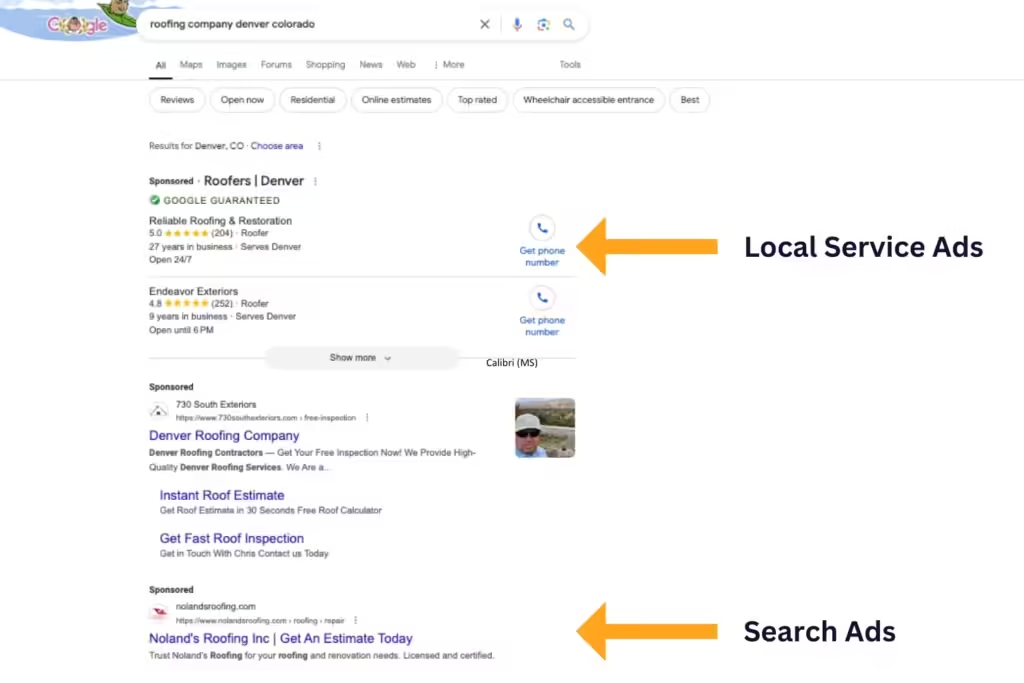
    Another key difference between LSAs and Search Ads is their ad locations. LSA ads are placed above the SERPs and in Google Maps. They align your SEM and local SEO marketing strategies to advertise your business and generate leads from hyper-local audiences.

    Search Ads require keyword bidding for your ad to be placed at the top of the SERPs as a “Sponsored” search result. While they also align SEM and SEO, it’s not hyper-localized compared to LSA ads and is placed first in SERPs (with keyword bidding), not above them. 

    Since Search Ads require higher budgets for keyword bidding to outrank competitors and be in the first spot within the SERPs, it may not be practical for businesses with lower ad budgets and local search needs. They’re best if your ad campaign goals are to increase online visibility for broader audiences and can afford competitive keyword bidding. 

    LSA ads are best if you want a guaranteed above-SERP placement for local audiences only without the larger budget requirements for keyword bidding.

    Ad Payment Structures

    A main differentiating factor between Local Service Ads vs. Search Ads is their payment structures. 

    As mentioned above, Search Ads use a pay-per-click (PPC) model, where you’re charged each time a user clicks on your ads. 

    LSAs ads use a pay-per-lead model, where you’re charged each time someone contacts your business through your ad. LSAs are typically more affordable and generate greater ROI because many users can click on Search Ads and not contact you, and you still must pay for them. 

    Based on their different payment methods, choosing between LSAs and Search Ads depends on your ad budget and campaign goals. 

    If you’re a locally based service provider and want to attract customers in your area, LSA ads are more cost-effective. You only pay for the leads you acquire, and you can even set a weekly budget to stop showing your ads after reaching your limit. 

    Search Ads are the better option if you want to increase brand awareness for wider audiences outside your area, bigger ad budgets, and easier campaign scalability.

    Google Guarantee Badge Feature

    A screenshot of a Denver roofing company's Local Service Ad on Google

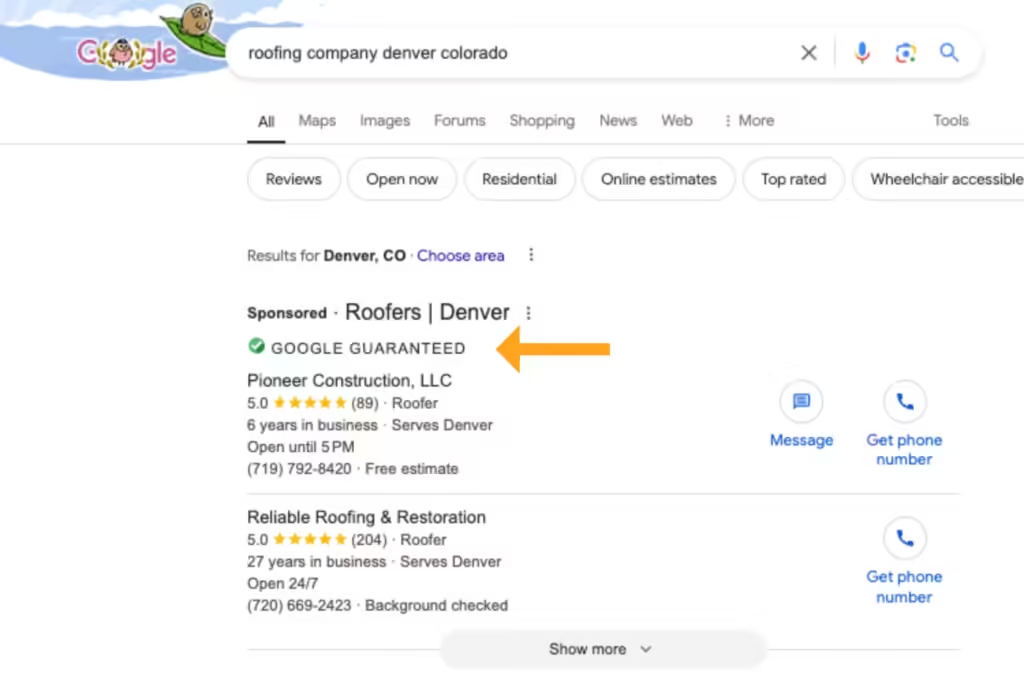
    The Google Guarantee badge is an exclusive feature for LSA ads. When you display your LSAs, a green checkmark is displayed next to your business name. This feature is valuable for consumers because it shows that your company has passed Google’s screening and verification process.

    If consumers aren’t satisfied with your localized services, they can submit a refund request, and Google will reimburse them based on potential factors. Service cancellations and delayed provider responsiveness are examples of when Google won’t reimburse consumers.

    However, it gives your target audiences better peace of mind when your brand establishes its credibility and trust with Google. 

    Automated Keyword Research

    When creating Local Service Ads vs. Search Ads, there are also exclusive automated keyword research features, depending on which one you choose. LSA ads do keyword research for you, while Search Ads require you to do it yourself. 

    For LSAs, Google will generate target keywords based on the information you enter upon setup. After you submit your business type and products/services from their list of options, they’ll prompt suggested keywords to use in your LSAs that you should rank for. 

    However, you must verify that the keywords Google provides for your LSA ads apply to your brand. If the search queries they automate have the wrong search intent or are irrelevant to your business, they may not generate the right ad results or qualified leads.

    Because Search Ads require you to perform keyword research, you gain more control over which search queries you target in your campaigns. However, you must understand how to conduct keyword research the right way. 

    Again, if you use inapplicable search queries for your brand or keywords with the wrong search intent, you may not generate profitable ROI for your Search Ads. 

    Ad Copy Requirements

    Two people working together on a computer and creating a shopping ad

    Did you know LSA ads don’t require you to write copy? These types of Google ads only display your Google Business Profile name, contact information, business hours, review ratings, and image.

    In contrast, Search Ads require copywriting. You’ll decide on the ad’s title, body text, visual creative, and call-to-action button. 

    If you prefer customized ad campaigns, Search Ads are the best option because you can control the copy’s quality and what’s displayed to your broader audiences. If you prefer simpler ad campaigns to local audiences and have a strong reputation management on your Google Business Profile, LSAs can be the better choice. 

    Google Ad Industry Qualifications 

    LSA ads are only available for specific local businesses, industries, and job roles. Not every company can access them due to Google’s specific LSA ad qualifications

    Examples of eligible businesses for LSA ads include:

    • Auto body shops
    • Car wash and detailing services
    • Dentists
    • Plumbers
    • Tutors
    • Veterinarians

    Search Ads don’t require industry eligibility, allowing any business to access this ad platform. 

    Navigate Google Ads with Confidence: Let Our Experts Select the Best Ad Platforms for Your Business

    Still can’t decide if Local Service Ads vs. Search Ads are better for your business? Don’t take a leap of faith with your ad budget. Let us help you navigate Google’s comprehensive ad platforms for you. 

    At Reach Marketing Pro, we have extensive experience with Google advertising, including LSAs, PPC, and SEM, and aligning these campaigns with your SEO for optimal results. 

    We also have in-house copywriting and graphic design services to create effective ad campaigns for you. Our team will continuously monitor your ads with monthly in-depth reporting to measure success with complete transparency from start to finish. 

    Ready to maximize your Google ad campaigns? 

    Learn more about our SEM/PPC services, or contact us for any questions today! 

  • Benefits of Dynamic Display Ads in PPC & Why They Should Replace Static Display Ads

    Benefits of Dynamic Display Ads in PPC & Why They Should Replace Static Display Ads

    Is your business not seeing optimal results in your PPC campaigns? Then, you may be choosing the wrong ad format. Whether it’s unprofitable bidding strategies or declining conversion rates, dynamic display ads can maximize your PPC campaign results more than static ads. 

    From continuous ad optimization to rich user data integration and maximized conversions, learn why dynamic ads are the best choice for PPC. 

    What Are Google Display Ads?

    Google display ads are a type of PPC advertising within the Google Display Network. It allows you to reach global potential customers beyond Google Search on all Google-owned platforms, including YouTube and Gmail.

    How Does Google Display Ads Grow Marketing Results for Advertisers? 

    The benefits of display advertising are streamlining and optimizing your PPC campaign creation process to maximize results. It generates ad formats, bidding strategies, and advanced audience targeting through various automated features based on first-party consumer data. 

    What Are the Differences Between Google Dynamic vs. Static Display Ads?

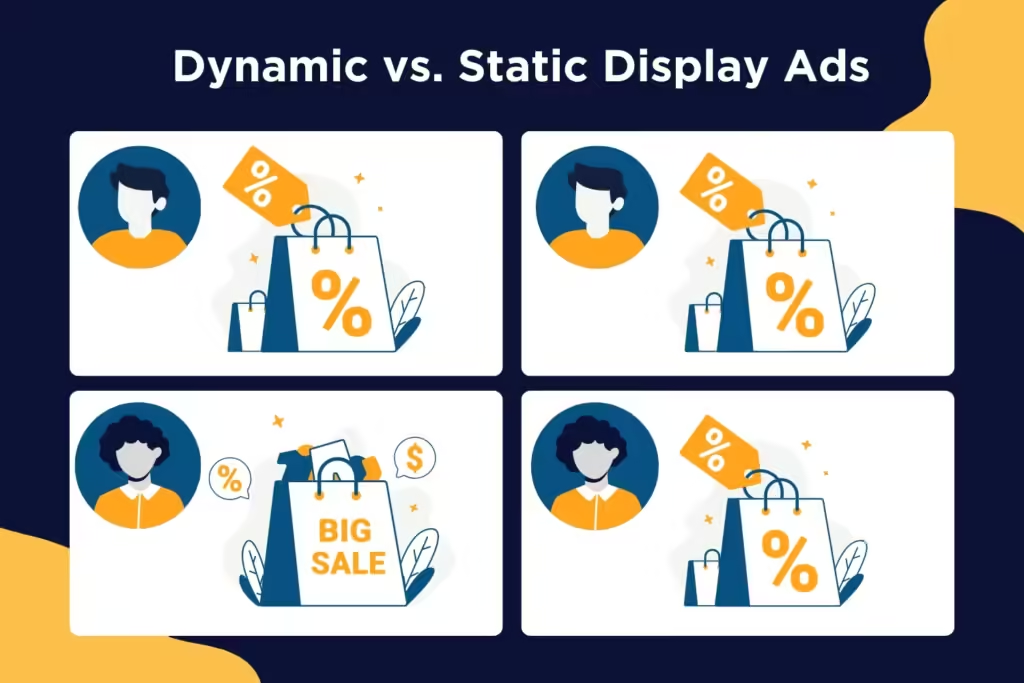
    A comparison graphic of dynamic display ads versus static

    Google’s dynamic display ads update your PPC campaigns over time based on your target audience’s behavior. They’ll change the visuals, prices, or products/services shown if users browse similar content on your website or other platforms. They’re designed for specific audiences and ad campaigns. 

    Static display ads don’t update your PPC ads as they’re designed for general offers for brand awareness. It requires more manual campaign maintenance and strategy development without automation.

    Benefits of Dynamic Display Ads in PPC: Why They’re the Better Choice Over Static Display Ads

    Below are the top benefits of using dynamic ads on Google and how they can improve your PPC strategy over static ads. 

    Enhanced Personalization

    A screenshot of Google Ads insights

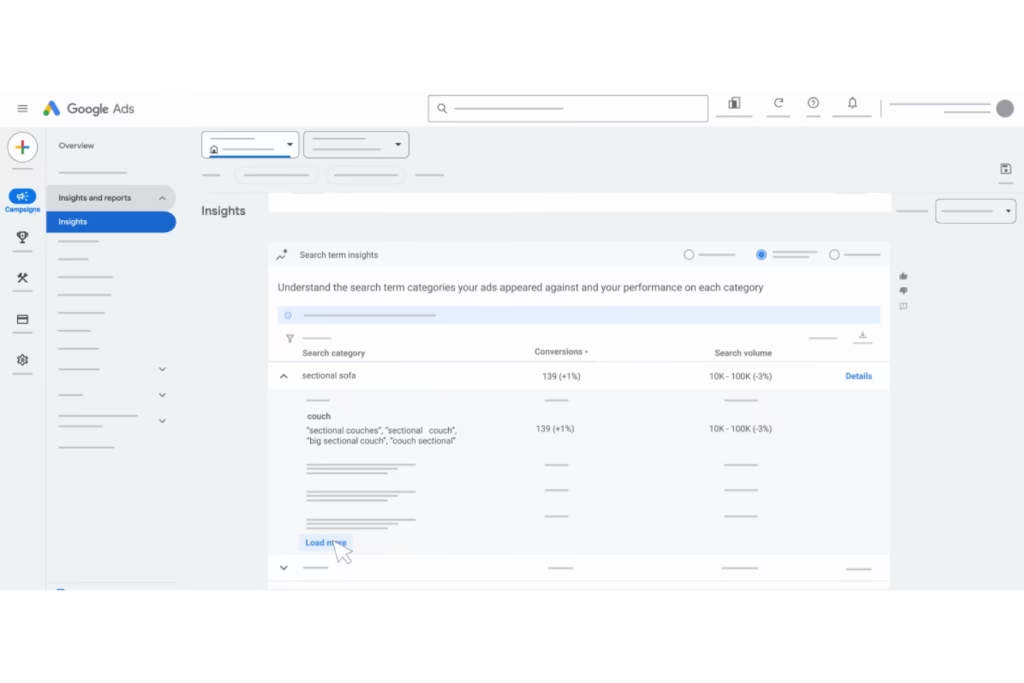
    Google dynamic ads offer more personalization based on your unique user data. Utilizing a data-driven approach, like using the exact products or services users were looking at on your website in your ads, brings more relevancy to your target audience. It strengthens your PPC strategy with high-quality first-party data as your foundation.

    The Performance Max feature provides rich user insights, including:

    • User interests based on ad text, image, and video assets with specific audience segments 
    • User demographics, like income, age, and gender
    • Search queries
    • Used platforms and browsers
    • Website interactions and history

    For example, you can tailor ads like discounted products for previous customers to improve customer lifetime value and first-time offers for new audiences to increase customer acquisition. 

    Dynamic display advertising optimizes your audience targeting and customizes your PPC campaigns by applying relevant user data feed to your ad group. It unlocks critical touchpoints in the buyer’s journey to drive more conversions through their accurate insights. That way, you can simplify your PPC campaign management and strengthen its performance easily. 

    Since static display ads require you to apply user data yourself to segment audiences, it doesn’t guarantee relevancy as display ads do. You may create an ad campaign that focuses on brand awareness, and it’s shown to users already familiar with your company. 

    According to Think with Google, 61% of people expect brands to personalize their experiences based on individual preferences and needs. In a competitive and oversaturated digital marketplace, reducing your wasted ad spend with customized PPC campaigns is crucial.

    Automated Ad Formats

    A key benefit of display campaigns in PPC dynamic ads is having automated ad formats. Google generates how your ads should look based on user behavior. It skips the manual process of figuring out which ad design is best, providing more accuracy and relevancy through data-driven predictive technology.

    Google will design a media plan that maximizes your PPC budget with recommended visuals and messaging. They’ll even guide you through campaign launches with their first-party data for optimal results. 

    With AI-powered dynamic ad campaigns, you can strengthen your PPC performance for more conversions and budget value because the data comes directly from your customers—and it’s all done for you.

    While static display ads give you full creative control, they require you to design the ad layout and have limited dimensions. You must analyze your consumer’s comprehensive data, which may result in choosing the wrong products or services to showcase. Because static display ads don’t have generated ad formats, you risk creative mistakes users aren’t interested in. 

    Optimized Bidding

    Dynamic display ads optimize the best bid for each impression and how much you pay for each impression and conversion through automation. The Smart Bidding feature maximizes your PPC’s ROI since it automatically adjusts your bids over time based on your highest-performing audiences—achieving 18% more conversions at a similar cost per action! 

    Additionally, dynamic ads are more effective at retargeting, which leverages lower bidding budgets. It shows your ads to people who previously viewed your website’s products or services, allowing you to match with ideal consumers who showed the most interest. 

    Since static display ads don’t change over time, your competitor can outbid you more easily if it’s generating successful results. You may need to increase your bid to show up at the top of the SERPs or in certain ad placements to compete, costing you more of your PPC budget.

    Maximum Conversions

    Two people analyzing their increasing sales metrics on a laptop

    Since static display ads are designed for top-funnel users, like brand awareness, it typically leads to lower conversion rates. Dynamic display ads are best for targeting middle and bottom-funnel users who are comparing options or ready to buy—leading to an average higher conversion rate of 37% than static ads!

    Simplified Scalability

    Dynamic PPC display ads can instantly create an unlimited number of campaigns for you that are tailored to your target audiences. Because Google’s AI and machine learning advertising tools generate dynamic ads for you, it simplifies the scalability process based on their algorithms.

    Static display ads are harder to scale because they have a manual process. It requires you to create individual ads without automation, taking longer and more resources to execute. If you plan to launch several PPC campaigns for various clients and segment audiences, dynamic ads are more efficient and effective.

    Maximize Your Advertising Budget & Results with Professional Digital Marketers

    Although dynamic display ads help you learn what works best for your target audience, they still require time and resources to execute efficiently. You must create ad graphics, engaging copy, profitable budgets, and more. Let us do the heavy lifting for you. 

    At Reach Marketing Pro, we have extensive experience maximizing PPC budgets and optimizing ad strategies to generate greater results, including SEM and SEO. We’re a full-service agency of PPC marketers, graphic designers, and copywriters with the expertise to guide you from ad campaign strategy to launch. 

    We combine a mobile-first approach with data-driven keyword research to strengthen your PPC campaigns. Our team will continuously monitor your display ads with monthly reports to track their success. 

    Grow your business effectively with professional PPC services or contact us for help getting started today!

  • How to Know When You’re Ready for a PPC or Paid Social Campaign

    How to Know When You’re Ready for a PPC or Paid Social Campaign

    Defining These Two Different Ad Campaign Types

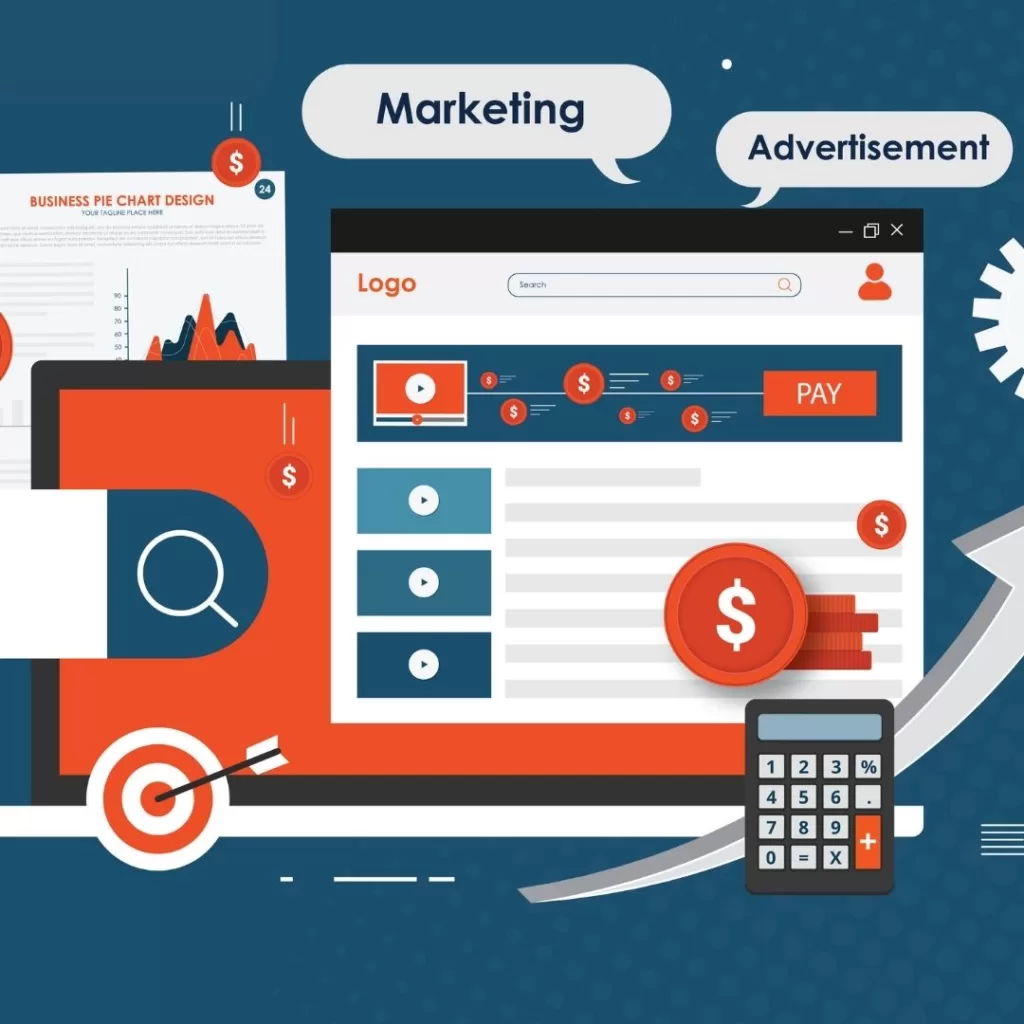
    Illustration with a webpage, calculator, search bar, and marketing terms

    Let’s define the difference between both types of advertising campaigns:

    Pay-Per-Click (widely known as PPC) is a form of digital advertising in Search Engine Marketing. (SEM) where the advertiser pays a fee (how much they pay is based on the types and amounts of keywords are selected) each time their ad is clicked by a user. Paying for each visit to either a landing page or APP on a website allows for a faster, more efficient result than only utilizing organic search engine optimization (SEO) to gain foot traffic.

    Some examples of PPC you would see are:

    Google Search Ads (formerly known as Google AdWords) – an advertising service by Google that allows businesses to display advertisements on Google search results and its advertising network.

    Google Shopping Ads – a type of ad that features details about specific products that you sell.

    Display Advertising – a type of online ad that combines text, images, and a URL that links to a website where a customer can learn more about or purchase a product.

    Remarketing Ads – a tool that lets you customize display ad campaigns for customers who previously visited a website and tailors future ads to these visitors when they browse the web or APPs.

    Paid Social Media (known as Paid Social) is another search engine marketing (SEM) tool that displays advertisements or sponsored marketing messages across popular social media platforms and targets a specific audience. Examples of Paid Social would include sponsored advertising on Facebook, LinkedIn, Instagram, YouTube, and more.

    Why You Should Consider Using These Types of Advertisements

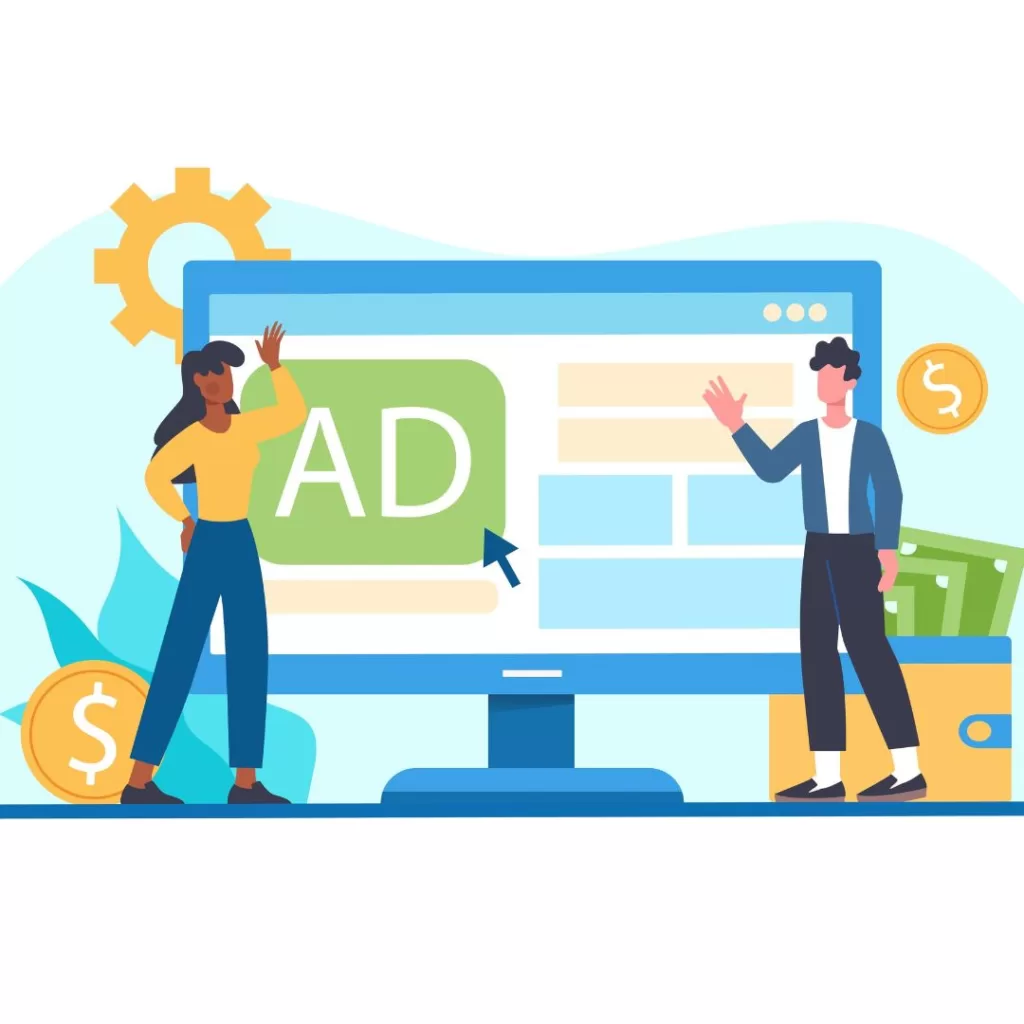
    Illustration with a man and a women waving in front of a desktop screen that has "ad" on it

    Think of it this way: billions of people use search engines and social media to browse, research, and purchase products and services. If you have a business and want to find a way to get your name out there, consider PPC and Paid Social. While both allow targeting specific audiences or consumer persona, PPC and Paid Social differ slightly. Social platforms allow you to target customers based on age, interests, and location, enabling you to customize your paid social ads and promote your brand effectively. By putting the right practices in place, you’ll drastically increase conversion rates for your product or service to generate awareness. The more awareness you promote, the higher the chance a customer will purchase what you’re selling.

    When Is the Best Time to Integrate These Methods into Your Digital Marketing Strategy?

    Illustration of four people surrounding a screen with analytics on it

    Although each PPC and Paid Social campaign will vary in terms of when it’s best to integrate, the most optimal time would be based on your team’s overall digital marketing objectives and goals.

    Let’s dive deeper; for example, the best time to launch your first (or next) Pay-Per-Click campaign would be when you want to generate quick results. Don’t forget to incorporate Organic Search Engine Optimization (SEO) and Search Engine Marketing (SEM) campaigns, as they work beautifully in tandem with each other (see our latest blog here). It takes time for SEO to show results, while a PPC campaign generates results almost instantaneously.

    **Please note any campaign, whether organic or paid, should be monitored and modified across 3 months, ideally.

    Paid Social Media campaigns focus on generating awareness for a specific product or service through multiple social media channels. Since, as mentioned before, billions of users utilize social media daily, the potential to reach an enormous target market is much higher. So, take this as an opportunity to engage with the users you’re targeting over time to maximize content, boost brand awareness, gain mobile access, and gather detailed market insights for future campaigns.

    Tips For Managing Your PPC or Paid Social Media Campaigns

    Illustration of mechanical gears with different icons in the middle

    How can you win with a Pay-Per-Click and Paid Social Media Campaign? Here are some go-to tips:

    1. First, determine your PPC’s campaign structure.
    2. Next, refine your landing pages.
    3. Establish a keyword strategy based on research.
    4. Launch ads based on insights from research.
    5. Share your campaign plan with teams and stakeholders.

    Don’t make mistakes others have made. Keep an eye out for the following:

    1. Building out a single basic campaign without utilizing Google Ads’ Ad Group Tool.
    2. Only creating keywords based on “gut feeling” and not from research.
    3. Not adding “negative keywords” to avoid wasting the budget.
    4. Using landing pages that are not engaging and generate zero leads.
    5. Setting budget caps and going live without informing anyone.

    Let Our Team of PPC & Paid Social Media Experts Start Your Campaign on the Right Foot

    Illustration of a laptop with "ads" and "click" text on the screen with a cursor

    Your business will reap long-term rewards by aligning your search engine marketing (SEM) strategy. By analyzing and monitoring key performance indicators (KPIs), we partner with you to ensure proper setup, monitoring, analysis, evaluating, and targeting for your audience. Our team at Reach Marketing Pro are your experts in Digital Marketing and SEM. We are your go-to resource for all things: Google My Business Experts, Google Partners, Google Analytics Certified, SEMrush Experts, Schema/Structured Data Markup Experts, Accelerated Mobile Pages (AMP) Implementation qualified, and Google Tag Experts.

    For every client, every month, we don’t leave your advertisements untouched. Reach out to us today to launch your next campaign!